Code review has always been one of the biggest drags on engineering velocity, and AI-assisted and agentic development is making the problem harder, not easier.
Nearly half of all code written in enterprise teams is now AI-assisted.
That means more PRs, larger diffs, and more ground for reviewers to cover – with the same number of senior engineers available to assess it.
84% of developers are using or planning to use AI tools in their workflow, according to the 2025 Stack Overflow Developer Survey of 49,000 developers across 177 countries. 51% use them daily.
AI code review specifically has moved from pilot curiosity to default infrastructure at many engineering organizations.
What’s less clear is which tools actually hold up when you’re running a team of 50 to 500 engineers across a real codebase with real constraints.
This guide cuts through the noise.
We’ll cover how to evaluate these tools, break down the leading options, and give you a framework for running a pilot that produces a useful answer rather than a shrug.
When a developer opens a PR, an AI code review tool typically does several things in parallel:
Reads the diff and generates a plain-English summary of what changed and why
Scans for bugs, security vulnerabilities, anti-patterns, and style violations
Posts inline comments on specific lines, just like a human reviewer would
Flags missing test coverage or logic gaps
In some tools, suggests concrete fixes, not just problems
The better tools go further. They index your entire codebase, not just the diff, so they can flag cross-file issues.
A change to an authentication utility that could break a downstream service on the other side of the repo is only catchable if the tool has that context.
This distinction between diff-only and context-aware review is one of the most important buying criteria you’ll evaluate.
AI review doesn’t replace your engineers.
It handles the mechanical and pattern-matching work so your senior engineers can focus on what tools genuinely can’t assess: architecture decisions, business logic correctness, domain-specific risk, and knowledge transfer to junior developers.
Think of it as the first pass.
The AI catches what can be caught algorithmically. Your engineers focus on what requires judgment.
That’s a healthier division of labor than expecting your senior engineers to also catch every typo and every missing null check.
What to look for when evaluating AI code review tools
Before you look at any specific tool, get clear on your criteria.
Codebase context
A tool that only reads the diff will miss cross-file issues.
A tool that indexes your entire codebase can understand how a change impacts the entire system.
For small, modular repos, diff-only review might be fine.
For large, interconnected codebases with shared utilities, shared state, or complex dependency chains, you need context-aware review.
Ask vendors specifically: what’s your context window? How do you handle large monorepos? Do you index the full codebase or just the changed files?
CI/CD integration
The best AI review tool is the one your team actually uses.
That means it has to fit your existing pipeline with minimal friction. Evaluate:
Does it integrate natively with your Git platform (GitHub, GitLab, Bitbucket, Azure DevOps)?
Can you configure it in code (YAML-based config) rather than through a GUI?
Does it block merges at quality gates, or does it comment only?
What’s the setup time for a new repo? Is it minutes or days?
Tools that require significant custom configuration to stop generating noise tend to stay misconfigured.
That leads to alert fatigue, which leads to your team ignoring them.
Signal-to-nose ratio
False positives are the silent killer of AI review adoption.
Industry estimates put typical false positive rates at 5-15% across tools.
At scale, that number matters: a 10% false positive rate with 250 AI suggestions per week means 25 incorrect flags, each requiring investigation.
Before committing to a tool, ask: what’s the default precision out of the box? How much tuning does it take to get to a useful signal-to-noise ratio? Can you suppress certain rule categories by team or repo?
Pricing
Most tools charge per seat per month.
At 50 users, the difference between a $20/user tool and a $30/user tool is $6,000 per year. At 200 users, it’s over $24,000. Worth modeling before you pilot.
Also check: does the pricing include all features, or are the most useful capabilities locked behind enterprise tiers?
Some tools offer generous free tiers for open-source repos but charge significantly more for private repos at scale.
Get the actual number for your team size before you start a trial.
Or you can review code directly in your IDE or CLI.
Beyond PR-level review, it launched an Issue Planner in February 2026 that integrates with Jira, Linear, GitHub Issues, and GitLab to auto-generate a coding plan from each ticket before a line of code is written.
Important features
Codebase-aware review
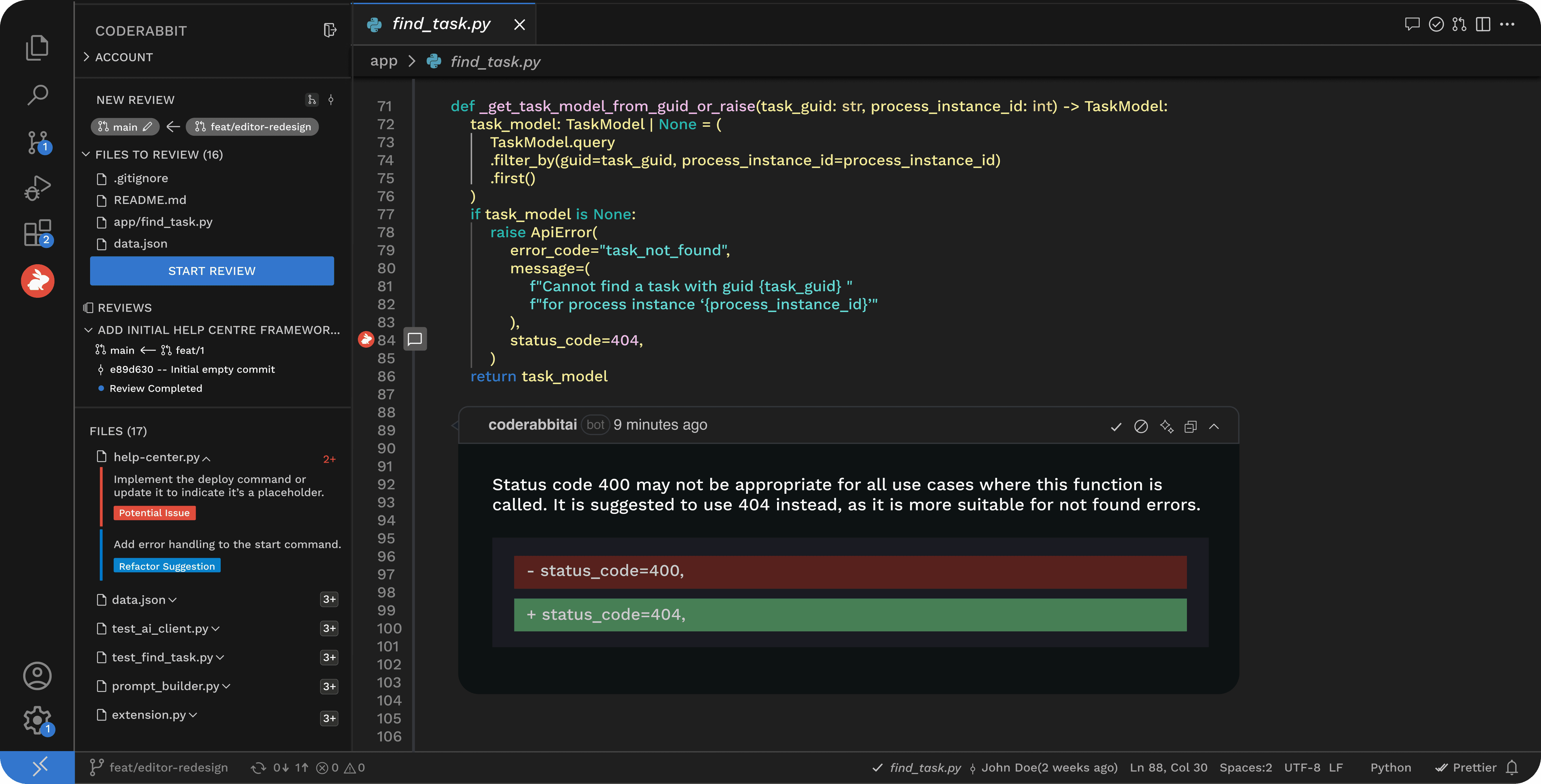
CodeRabbit indexes your full repository, not just the diff, so it can flag cross-file issues and understand how a change propagates through shared utilities or downstream services.
Issue Planner
Launched in public beta in February 2026, this feature connects directly to your project management tool (Jira, Linear, GitHub Issues, GitLab) and generates a structured coding plan from each issue before development starts.
40+ integrated analysis tools
Each review runs the diff through more than 40 static analysis tools, linters, and SAST scanners inside isolated sandbox environments, combining LLM reasoning with rule-based precision.
In-PR chat
Developers can ask CodeRabbit follow-up questions directly in the PR thread, request re-reviews after addressing feedback, or ask it to explain its reasoning.
CodeRabbit pros and cons
Pros
Broadest platform support
Easy planning
Highly configurable via YAML
Cons
Noisy reviews
Pricey full feature set
Pricing
CodeRabbit offers a free tier with PR summarization only.
The Pro plan is $24 per developer per month billed annually ($30 month-to-month), which includes PR reviews, autofix, and linter/SAST support.
The Pro+ plan, which adds the Issue Planner and test generation, is $48 per developer per month annually ($60 month-to-month).
Enterprise pricing is custom and includes self-hosting, SLA support, and a dedicated Customer Success Manager.
GitHub Copilot code review is the zero-setup option for teams already paying for Copilot.
It became generally available in early 2025 and uses an agentic architecture that runs on GitHub Actions and gathers full repository context before posting comments.
Rather than reviewing the diff in isolation, Copilot gathers context from the broader codebase via its agentic architecture before generating any review comments.
No additional setup
For teams already on a Copilot plan, code review is included and installs in GitHub with no external app or configuration required.
Silence-first design
Copilot code review is configured to comment only when confidence is high, deliberately suppressing lower-confidence flags to limit noise.
Usage-based billing (from June 2026)
Starting June 1, 2026, each code review consumes both AI credits (token-based) and GitHub Actions minutes, shifting the cost model from flat-rate to usage-based.
GitHub Copilot code review pros and cons
Pros
Zero additional cost if you have Copilot
Fastest onboarding
Strong
Cons
GitHub-only
Unpredictable costs
Pricing
Copilot code review is included in all GitHub Copilot plans: $10/month (Pro), $19/user/month (Business), and $39/user/month (Enterprise).
From June 1, 2026, reviews will consume AI credits and GitHub Actions minutes in addition to the base subscription cost.
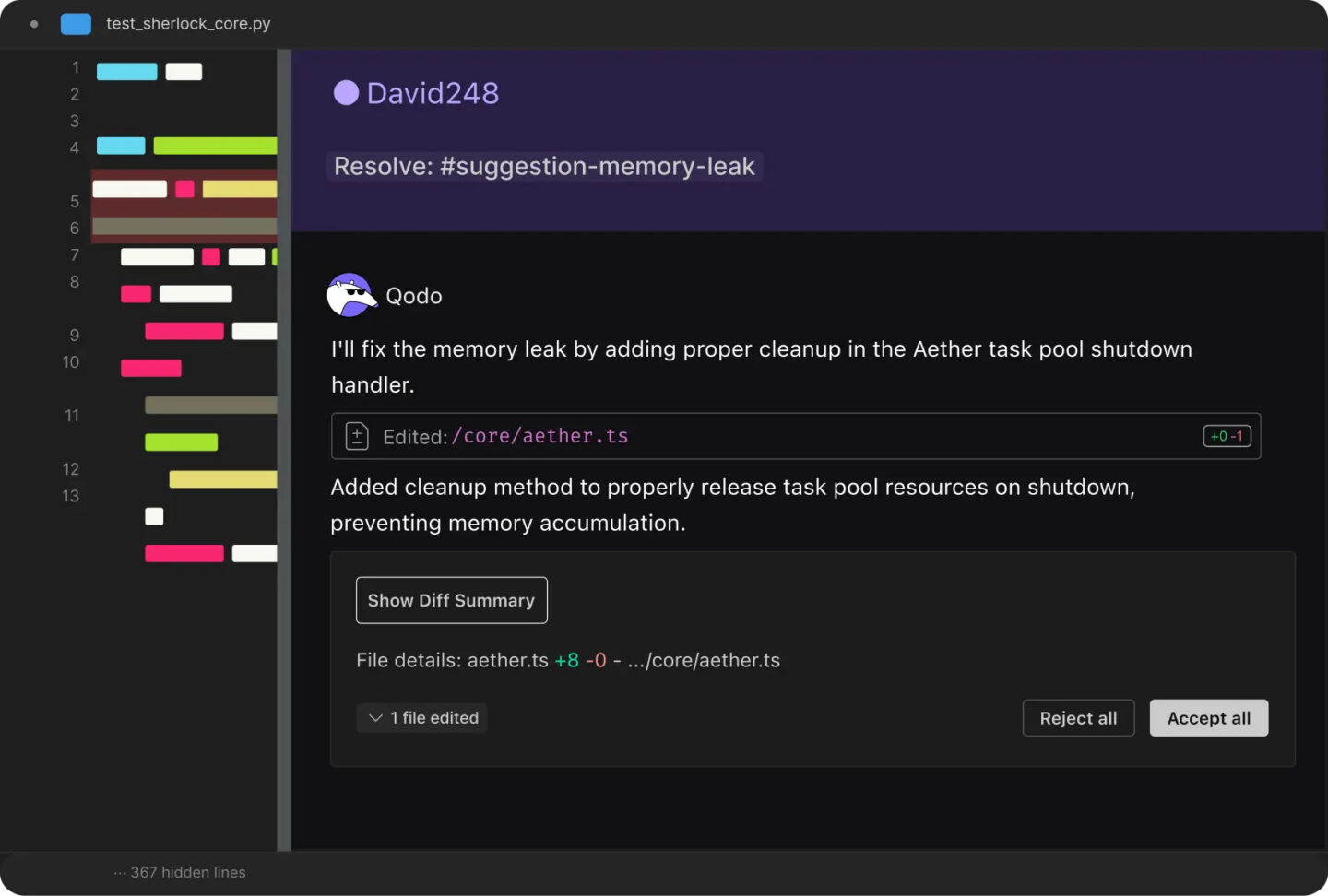
Qodo (formerly CodiumAI) runs its PR review through a multi-agent architecture introduced in Qodo 2.0 in February 2026, with four specialized agents handling bug detection, security analysis, code quality, and test coverage in parallel.
The distinctive feature is that Qodo doesn’t just flag test coverage gaps – it generates the missing tests.
In April 2026, Qodo transferred the underlying PR-Agent project to a community-owned GitHub organization under Apache 2.0, making the open-source core freely available while the managed service adds enterprise features.
Important features
Multi-agent review architecture
Four specialized agents run simultaneously on each PR – one for bugs, one for security, one for code quality, one for test coverage – rather than a single general-purpose model handling everything.
Paired test generation
When a test coverage gap is identified, Qodo generates the missing tests directly, not just reports the gap. For teams with systemic coverage problems, this is a meaningful difference.
Intelligent Rules System
Introduced in Qodo 2.1, this allows engineering orgs to define and enforce their own coding standards in natural language, which the review engine applies across all PRs.
Open-source core
PR-Agent, the underlying engine, is now community-maintained under Apache 2.0, with a managed SaaS layer (Qodo Merge) on top for enterprise features and support.
Qodo pros and cons
Pros
Offers code review + test generation
Self-hosted option
Highest benchmarks
Cons
High monthly subscription costs
Managed features only in the most expensive tier
Pricing
Qodo offers a free Developer plan with 30 PR reviews and 250 IDE credits per month.
The Teams plan is $30/user/month billed annually ($38 month-to-month).
Qodo Merge Pro, which adds the enterprise context engine, SOC 2 compliance, and priority support, is $19/user/month on top of the Teams plan. Enterprise pricing is available on request.
Greptile takes a graph-indexing approach to codebase understanding.
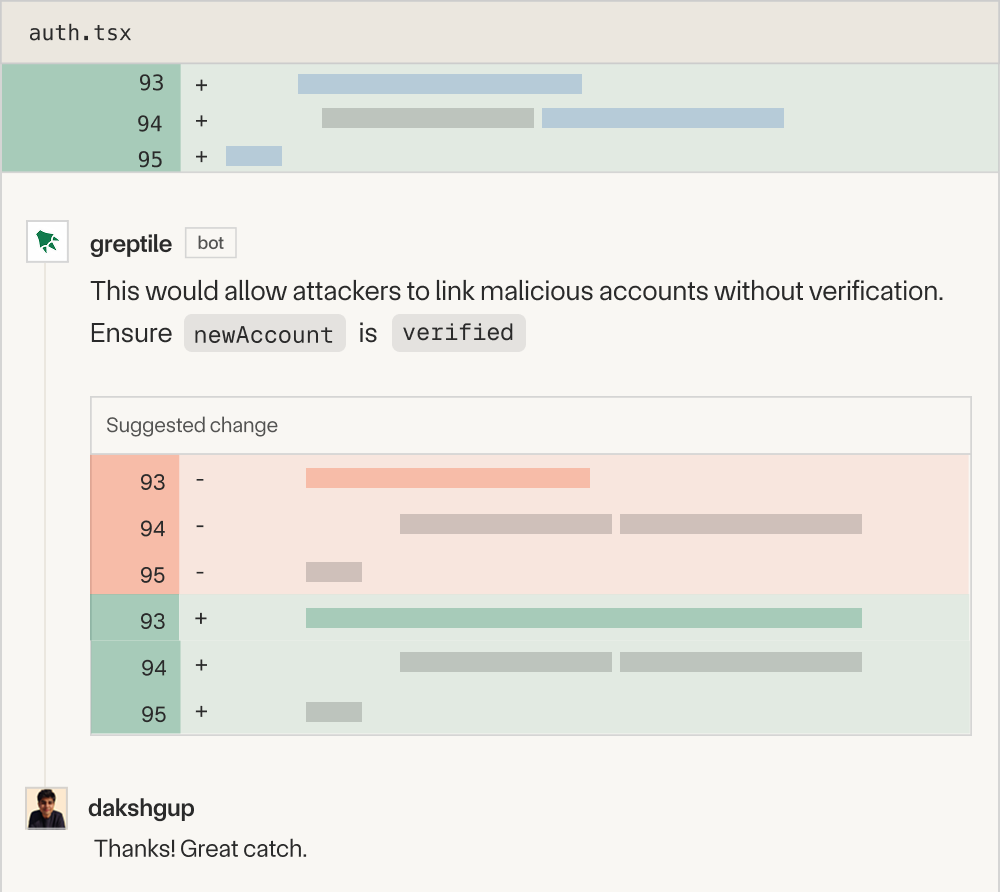
Rather than reading the diff in isolation, it constructs a full relationship map of your repository – functions, classes, files, and directories – and uses that to review PRs in context of the whole system.
It also learns from your team’s historical PR comments, adapting its review style to reflect the standards your reviewers have already established.
A self-hosted option is available for teams with strict data residency requirements.
Important features
Full graph index
Greptile builds a structured index of the relationships in your codebase, not just a semantic embedding, which allows it to detect issues that only become visible when you understand the full dependency chain.
Historical comment learning
The system reads past PR review comments and adapts its review style to reflect what your team considers important, reducing generic feedback and improving relevance over time.
Self-hosted deployment
For regulated industries or teams with strict data requirements, Greptile offers a self-hosted option that keeps code within your infrastructure.
30+ language support
Supports all major programming languages, with particular depth on large mixed-language codebases.
Greptile pros and cons
Pros
Best codebase context
Learns from real reviews
Self-hosted option
Cons
Controversial per-review pricing
Only supports GitHub and GitLab
Pricing
Greptile charges $30 per seat per month, which includes 50 code reviews.
Additional reviews are billed at $1 per review. A 14-day free trial is available without a credit card.
Enterprise pricing is available for larger teams and includes volume discounts.
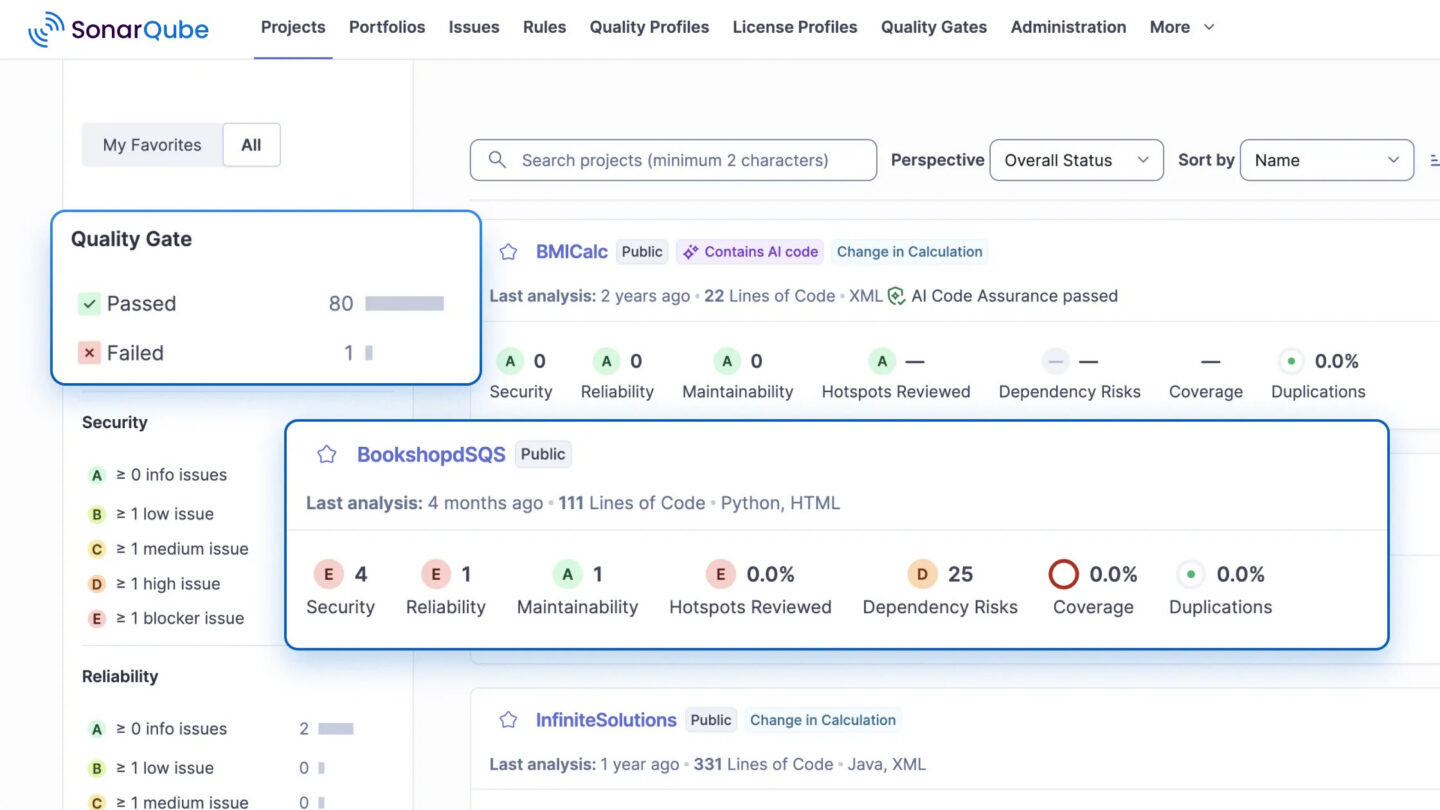
In March 2026, SonarQube Server 2026.2 introduced a model-agnostic AI CodeFix engine, allowing organizations to connect their own LLM provider rather than being locked to a single model.
More recently, they added AI Code Assurance, which detects AI-generated code snippets and applies specialized taint analysis to catch hallucinations and security flaws that standard linters miss.
Important features
Static application security testing
SonarQube performs deep SAST across 30+ languages, identifying bugs, code smells, and security vulnerabilities against OWASP Top 10 and CWE guidelines.
Model-agnostic AI CodeFix
As of SonarQube Server 2026.2 (March 2026), you can connect multiple LLM providers to the AI CodeFix engine, keeping code within their own infrastructure and avoiding vendor lock-in.
AI Code Assurance
A newer feature that detects AI-generated code snippets and applies additional analysis passes to catch the types of subtle errors and hallucinations that standard linters are not tuned to find.
CI/CD quality gates
SonarQube integrates with Jenkins, GitHub Actions, GitLab CI, Azure DevOps, and Bitbucket Pipelines to enforce quality thresholds that block merges when violations exceed defined levels.
SonarQube pros and cons
Pros
Deep SAST coverage
Free and open-source Community edition
Flexible LLM options
Cons
Doesn’t review individual PRs
Significant setup overhead
Pricing
SonarQube Community Edition is free and open-source.
SonarQube Cloud starts at $32/month for the Team plan.
SonarQube Server (self-hosted) starts at approximately $2,500/year for Developer Edition (100K lines of code), scaling to approximately $16,000/year for Enterprise Edition (1M lines of code).
Ellipsis is a GitHub App from Y Combinator’s W24 batch that focuses on one thing: catching bugs and fixing them, not just flagging them.
When it finds an issue, it can generate a ready-to-merge code fix directly in the PR, and developers can trigger on-demand work by tagging @ellipsis-dev in any GitHub comment.
It is SOC 2 certified and installed in over 67,000 GitHub repositories.
The GitHub-only limitation is real, but for teams running entirely on GitHub, it offers the simplest per-seat model of any tool reviewed here.
Important features
Auto-fix generation
When Ellipsis identifies a bug or style violation, it can generate a working code fix as a PR comment, not just a description of the problem – reducing the back-and-forth between reviewer and developer.
@mention commands
Developers can tag @ellipsis-dev in any GitHub comment to request a fix, answer a question, or implement a feature, making it an interactive coding assistant within the PR workflow.
Style guide enforcement
Engineering teams can write their style guide in natural language, and Ellipsis will flag violations on every PR without manual rule configuration.
Adaptive feedback learning
Ellipsis learns which types of comments your team acts on versus ignores, and adjusts its review behavior over time to improve relevance.
Ellipsis pros and cons
Pros
No review caps or usage fees
Generates auto-fixes
SOC 2 Type 1 certified
Cons
GitHub-only
Newer and less battle-tested
Pricing
Ellipsis charges $20 per developer per month with unlimited usage.
There are no review caps, no overage charges, and no tiered feature limits. Public repositories are free.
A 7-day free trial is available with no credit card required.
How to run a meaningful pilot for your new code review tool
A two-week pilot on one repo with two developers tells you almost nothing. Here’s how to run a pilot that produces a real answer.
Pick a representative repo. Choose a repo that reflects your actual codebase complexity: the language mix, the PR volume, the test coverage reality. A toy repo or a greenfield project won’t expose the tool’s weaknesses.
Define your success criteria before you start. Not “does the team like it” but: what’s the false positive rate on real PRs? How many comments required action vs. were ignored? Did PR cycle time change? Did reviewers feel the cognitive load shift? Set numbers to these before the pilot, not after.
Run it for at least four weeks. The first week is always noisy as the tool adjusts to your codebase and your team adjusts their expectations. Four weeks gives you enough PRs to see a pattern.
Measure reviewer behavior, not just tool output. Are engineers engaging with AI comments or scrolling past them? Are junior developers accepting suggestions blindly? That’s your signal on whether the tool is being used well.
Compare cost against actual output. Pull your PR metrics from before and after. If the tool is adding $12,000 per year in cost and not moving cycle time or reviewer hours, you have your answer.
One thing I always tell everyone: no tool solves a broken review culture.
If your team has low PR discipline, unclear ownership, or senior engineers who don’t prioritize reviews, AI tooling will not fix that. It’ll automate around the edges of a structural problem.
The teams that get the most from these tools are the ones that already have a reasonable review culture and want to make it faster and more consistent.
AI code review tools: FAQs
No.
They handle pattern-matching and mechanical checks so your engineers can focus on architecture, business logic, and knowledge transfer.
The decision to merge still belongs to the engineer.
This varies by vendor and plan tier.
Enterprise plans from most major providers include data privacy guarantees and opt-out of training data use.
Check the specific contract terms before connecting a tool to a private codebase.
Most teams see measurable impact on PR cycle time within two to four weeks.
Meaningful impact on code quality metrics takes longer because you’re shifting the distribution of issues that reach production, which shows up in incident rates over months, not weeks.
Looking for an AI-native development partner?
If you’re evaluating AI code review tooling, you’re probably thinking about bigger questions too: how to scale engineering quality, where to invest between tooling and talent, how to keep standards high as you grow.
We’ve worked through all of that ourselves. AI-driven, agentic workflows are baked into how we build software at DECODE, not a selling point we add to proposals.
When we work alongside your team, we bring 14+ years of experience building complex products for tech companies, and direct knowledge of the tradeoffs between tools like these.
Our teams integrate as a real extension of your engineering organization, with the same standards around code quality, review discipline, and technical debt prevention you’d expect from a strong in-house hire.
If that’s what you’re looking for, you’re in the right place.
When something unusual happens, Vlado is the man with an explanation. An experienced iOS Team Lead with a PhD in Astrophysics, he has a staggering knowledge of IT. Vlado has a lot of responsibilities, but still has time to help everybody on the team, no matter how big or small the need.
His passions include coffee brewing, lengthy sci-fi novels and all things Apple. On nice days, you might find Vlado on a trail run. On rainier days, you’ll probably find him making unique furniture in the garage.
How to build security into your AI development workflow without slowing your team down. Controls, processes, and policies that actually work in practice.