On top of that, it helps you better manage your organization’s business-critical data.
And while it’s more expensive than standard software, these benefits make it a worthwhile investment.
Types of enterprise software
Next, we’ll discuss some of the different types of enterprise software you should know about.
Enterprise resource planning (ERP) software
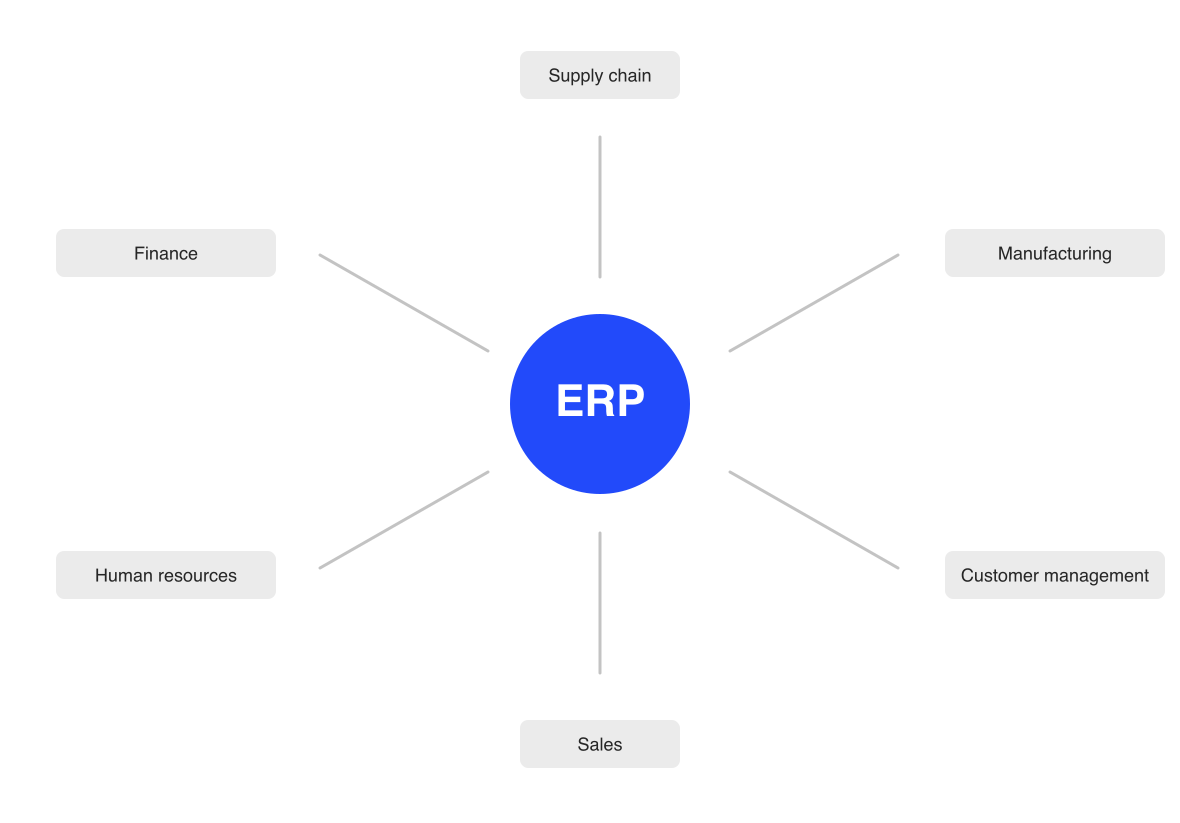
Enterprise resource planning (ERP) is a type of enterprise software that integratesvarious business processesintoone unified system.
ERPs are highly customizable by design and can integrate any number of processes you need.
They can connect everything from accounting to supply chain management in a single, integrated system.
There’s a good reason why so many businesses use ERPs.
According to NetSuite’s ERP research, 83% of organizations that conduct an ROI analysis before implementation and have been live for over a year report meeting their ROI expectations.
On top of that, they make it easier for different departments to share data and communicate with each other.
And just that’s reason enough to get an ERP for your business.
Supply chain management (SCM) software
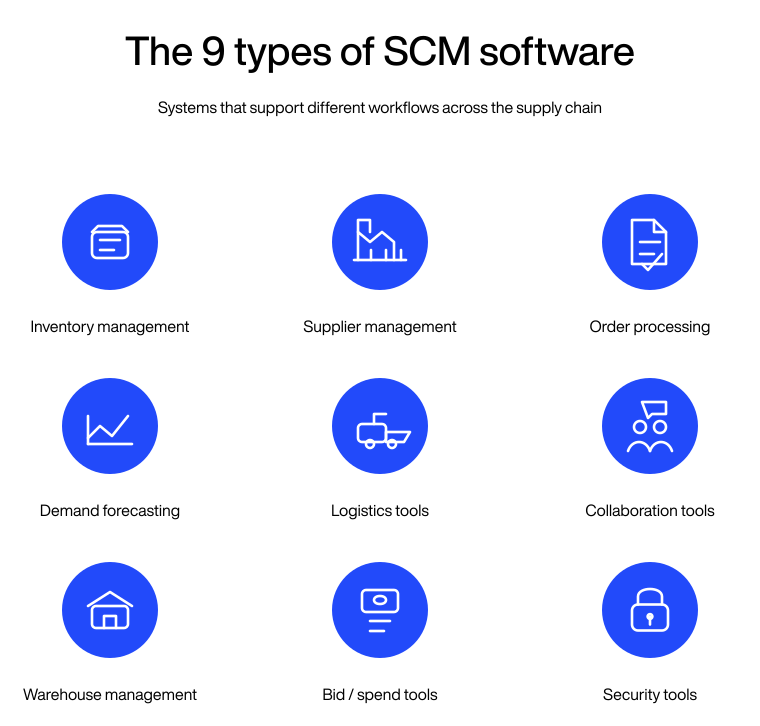
Supply chain management (SCM) software is enterprise software that’s designed to optimize and manage end-to-end processes in your supply chain.
And this can include various tasks, from inventory management to demand forecasting and everything in between.
Here’s an overview of the various types of SCM software:
SCM software gives you real-time visibility into every stage of your supply chain, helping you mitigate risks and optimize processes.
On top of that, it can automate a decent chunk of these tasks, cutting costs and improving efficiency across the board.
And that’s exactly what you need for long-term success.
Customer relationship management (CRM) software
Customer relationship management (CRM) software is a type of enterprise software designed to help businesses manage interactions with current and potential customers.
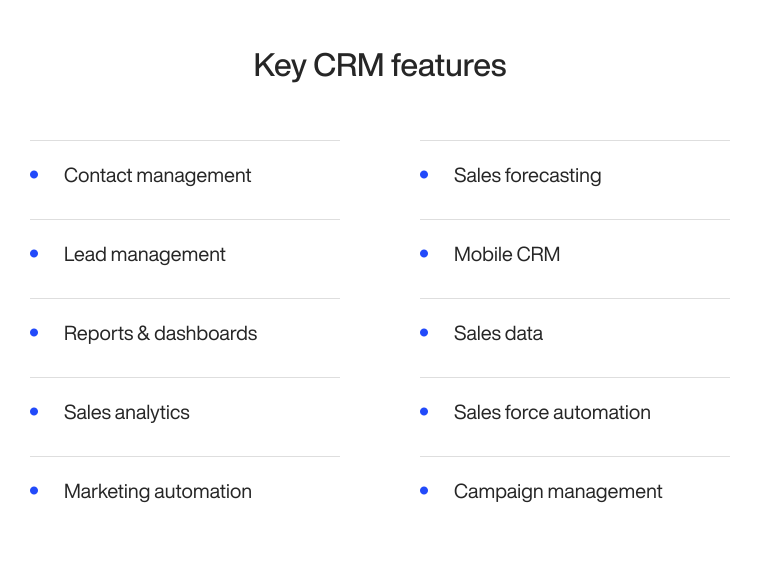
CRMs consolidate all of your customer information in a single database: contact history, previous interactions, and purchase records.
Here are some key features CRMs usually have:
CRMs are very effective tools, and the stats prove it.
According to CRM.org’s 2025 research, 97% of businesses using a CRM met or exceeded their sales goals in the past year.
A major reason why they’re so successful is that you can track each customer’s history and personalize your interactions with them.
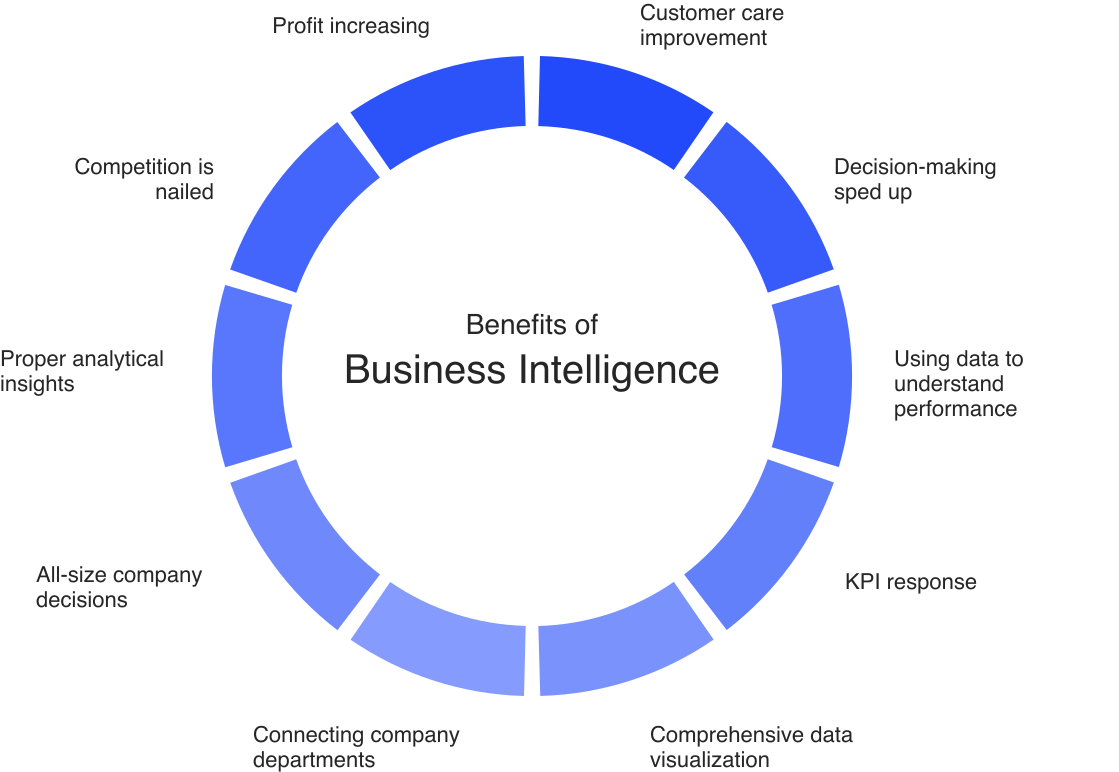
Business intelligence (BI) software is enterprise software that helps businesses analyze and visualize large amounts of data for better insights.
BI software gives you historical, current, and predictive information about your business operations through interactive dashboards and reports.
This detailed information about your business will help you make data-driven decisions faster and with more confidence.
Using BI software is essential if you want to gain a competitive advantage in your market and start making truly data-driven business decisions.
It will help you identify trends in your market, optimize your operations, and improve overall efficiency.
Human resource management (HRM) software
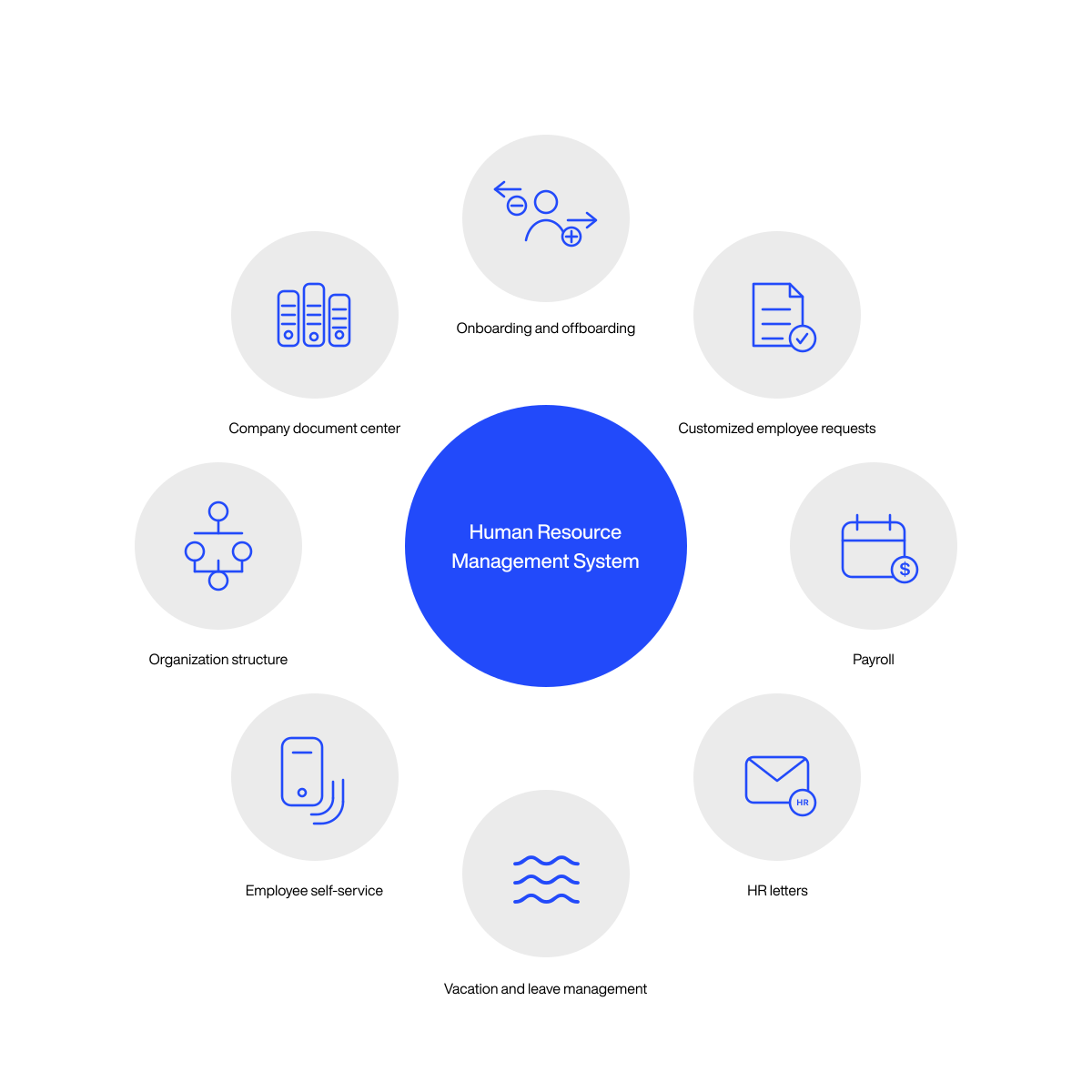
Human resource management (HRM) software is a type of enterprise software that helps businesses manage employee data and automate some HR processes.
They act as a centralized database for employee information, making it much easier for your HR department to track relevant employee data.
HRM software automates tedious, repetitive tasks so your HR team can focus on more important work.
This reduces your administrative overhead and costs, leaving you with a bigger budget for employee engagement and developing your team’s skills.
Enterprise asset management (EAM) software
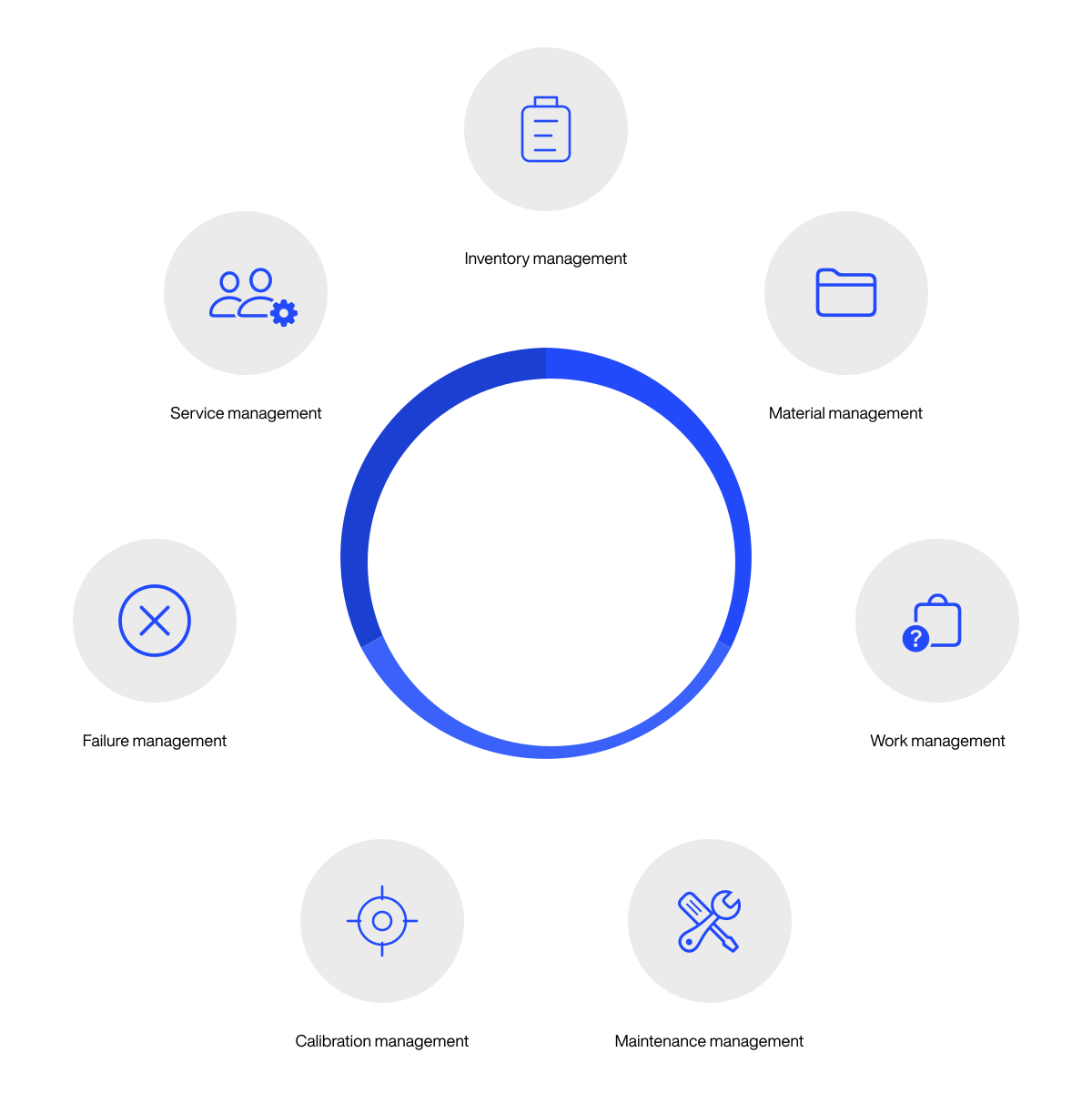
Enterprise asset management (EAM) software is enterprise software that helps you manage and maintain physical assets throughout their lifecycle.
And it helps you maximize your assets’ efficiency and lifespan.
Here are the key features EAM software usually includes:
EAM software isn’t right for every business. It’s designed primarily for asset-intensive industries like:
Manufacturing
Transportation
Utilities
The main benefit of using EAM software is that it helps you accurately track your physical assets’ performance and plan their maintenance with minimal disruption to daily operations.
The end result: reduced downtime and lower operational costs.
Project management software
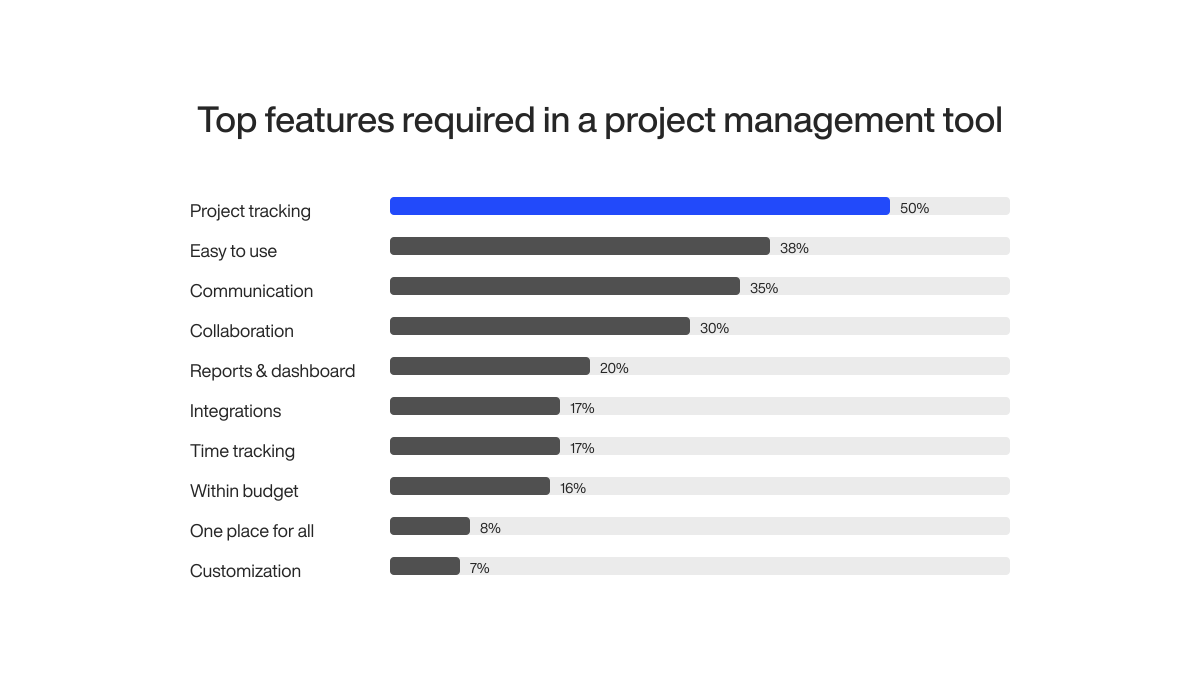
Project management software is software that helps teams plan, manage, and track progress of their projects.
It usually has tools and features for:
Task management
Time tracking
Scheduling
Resource allocation
Collaboration
Of course, since most project management tools share these features in one way or another, choosing the right one is difficult.
You can configure it based on your specific needs and choose the exact modules you need.
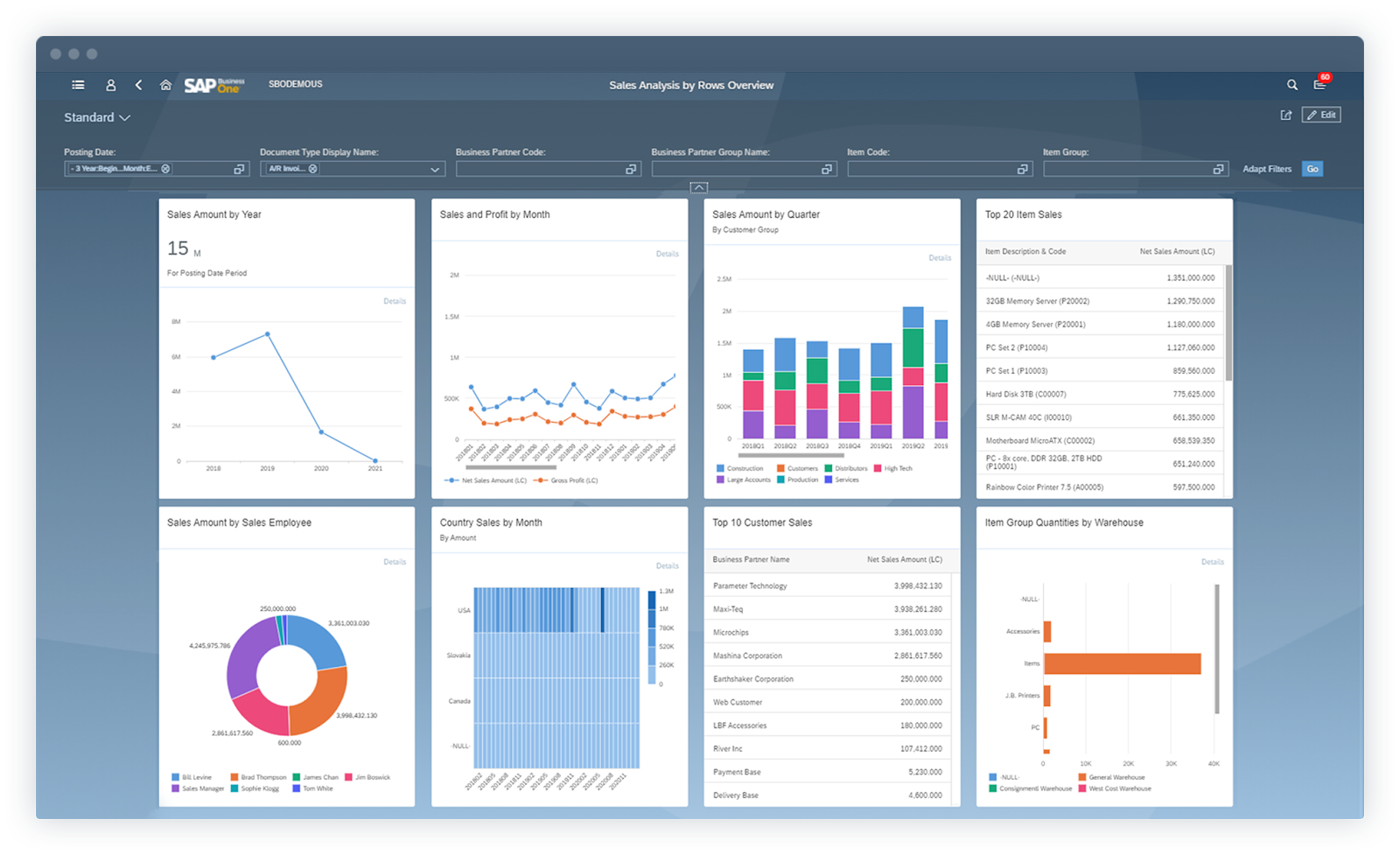
SAP Business One is available in both cloud and on-premise versions, making it flexible for different business setups.
Important features
Financial management and procurement
Covers the full accounting stack: general ledger, accounts payable and receivable, cash flow, and multi-currency transactions. You get a real-time view of your financial position across all entities, without switching between systems.
Inventory management
Track stock levels, movements, and procurement across multiple warehouses in real time. When inventory drops below a defined threshold, SAP Business One can trigger a purchase order automatically.
Built-in CRM
Most ERPs require a separate CRM. SAP Business One includes sales pipeline management, customer interaction tracking, and service call management within the same platform, so your sales and operations data stay in sync.
SAP Crystal Reports integration
Build custom reports tailored to your exact business logic, without exporting data to a spreadsheet first. Crystal Reports is embedded and connects directly to your live Business One data.
Pros and cons of SAP Business One
Pros
All core business functions in one platform
Strong financial reporting
Lots of third-party add-ons and integrations
Cons
High licensing and implementation costs
Steep learning curve
Pricing
SAP Business One is available as a perpetual license or cloud subscription.
Pricing varies significantly by partner and region. Contact SAP or an authorized reseller for a current quote.
Cloud subscriptions typically range from $80 to $200 per user/month, and implementation costs can run from $20,000 to several hundred thousand dollars depending on scope.
These modules will help you simplify your processes and give you real-time data visibility for better decision-making.
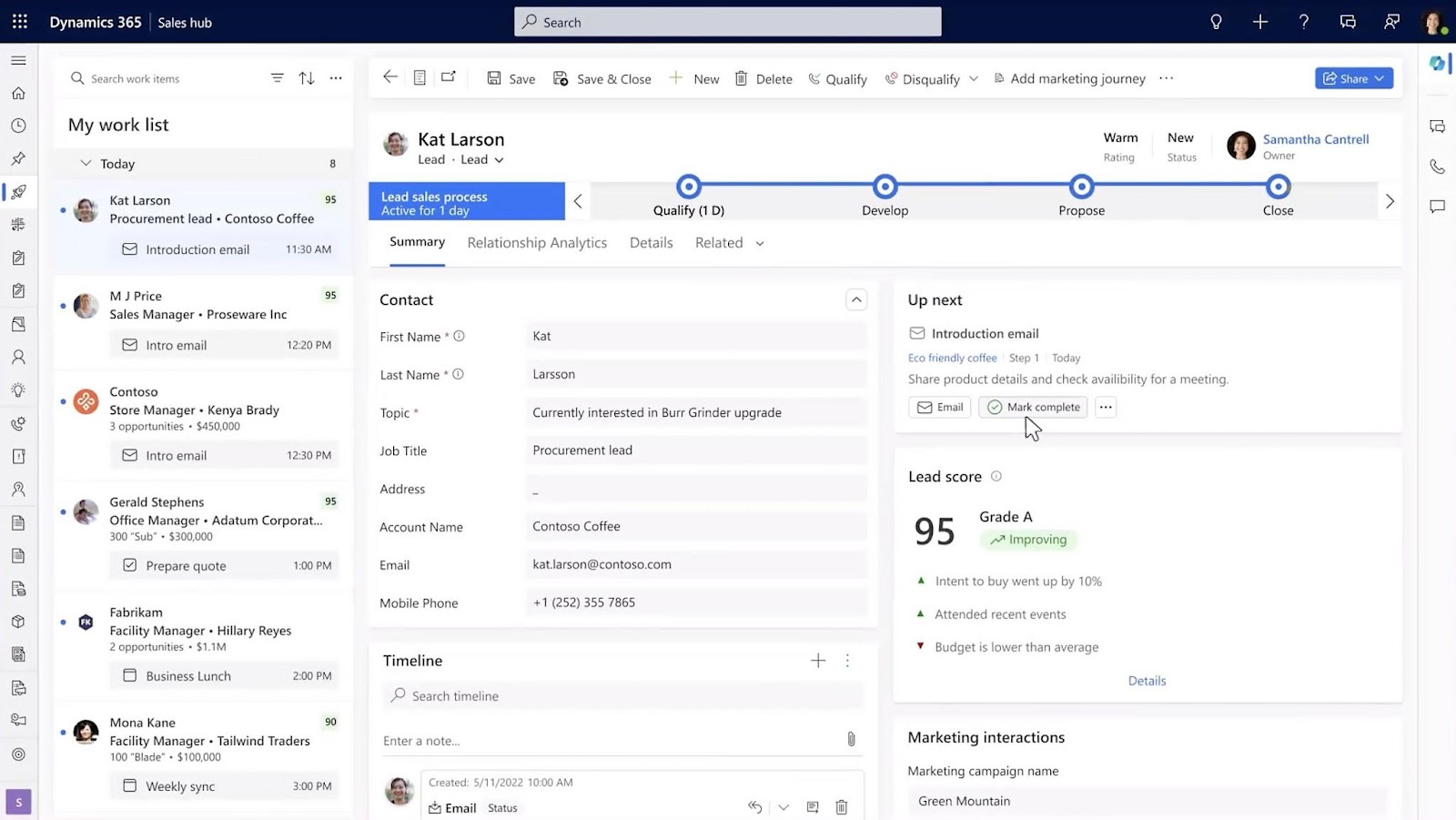
It integrates tightly with other Microsoft products, so it’s a strong choice if you’re already in the Microsoft ecosystem.
Important features
Microsoft 365 and Teams integration
Sales reps can update CRM records, log calls, and view customer history without leaving Outlook or Teams. This cuts the friction of switching between tools and keeps your CRM data accurate.
Modular application structure
Dynamics 365 is a set of separate apps, covering Sales, Customer Service, Finance, Field Service, and more. You can start with one module and add others as your needs grow, rather than paying for a full suite upfront.
Microsoft Copilot
Copilot is embedded across Dynamics 365 modules. It can draft customer emails, summarize CRM records, flag at-risk deals, and find relevant data mid-meeting in Teams. It’s directly connected to your business data, not a generic AI layer.
Pros and cons of Microsoft Dynamics 365
Pros
Customization options
Deep Microsoft 365 and Teams integration
Scalability
Cons
Complex setup
UI can feel slow and cluttered
Pricing
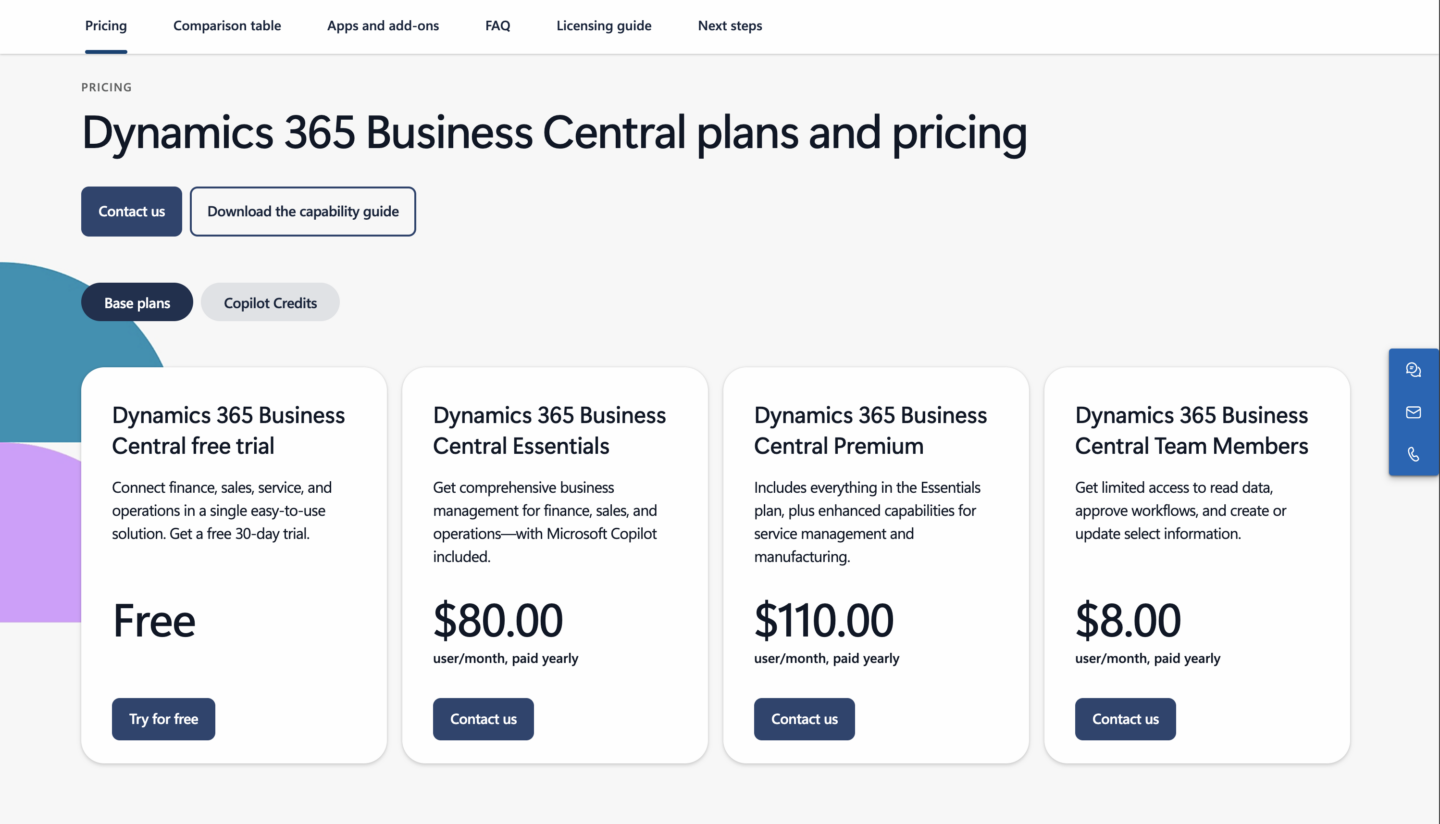
If you’re just trying out different solutions, Dynamics 365 has a free 30-day trial.
And if you decide to go with it, you can choose from 3 different plans:
Dynamics 365 Business Central Team Members – $8 per user/month, gives members limited access to read data, approve workflows, or create/update specific information.
Dynamics 365 Business Central Essentials – $80 per user/month, includes modules for finances, sales and operations and Microsoft Copilot.
Dynamics 365 Business Central Premium – $110 per user/month, includes advanced features for manufacturing and service order management.
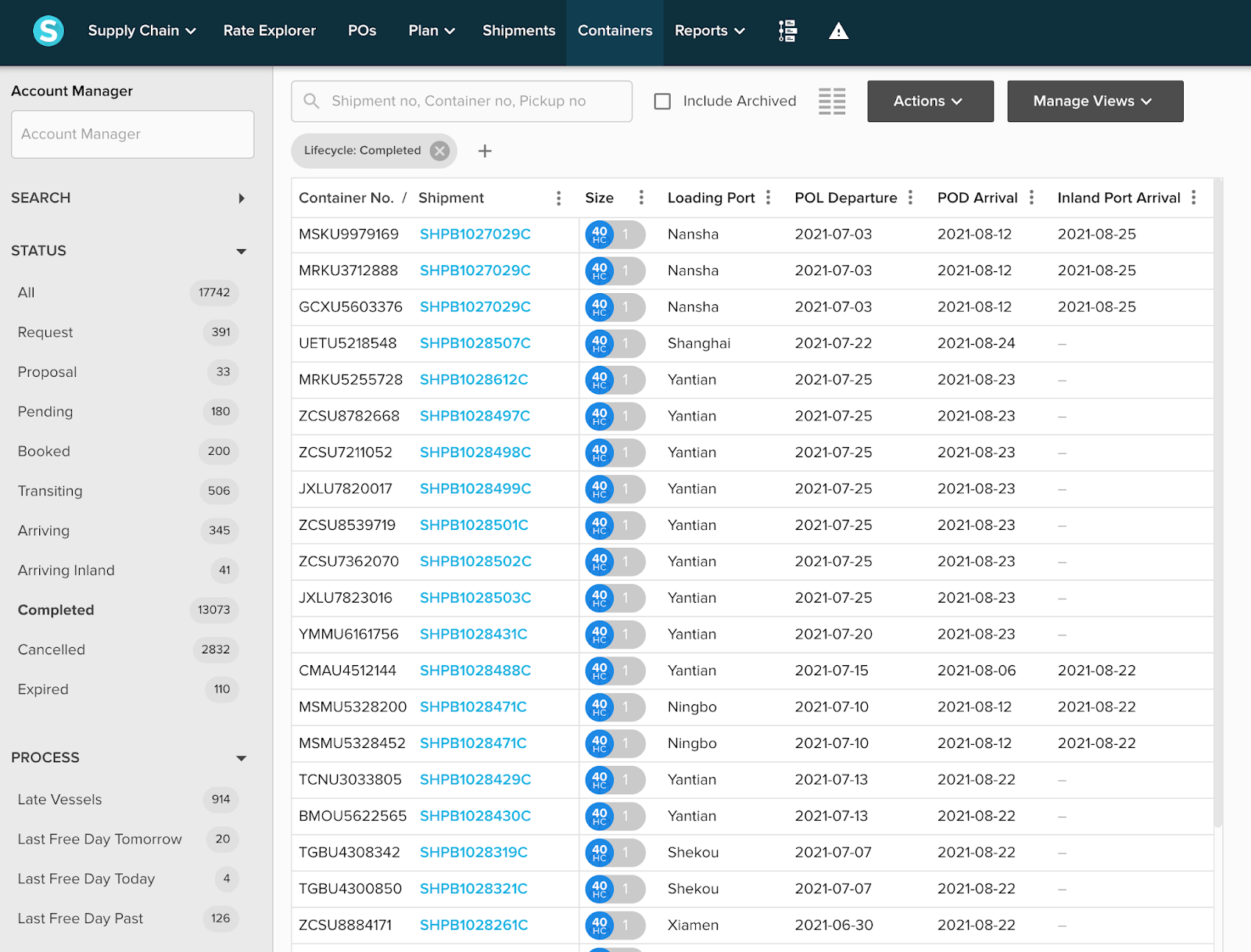
With its real-time tracking feature and predictive analytics, it helps you more efficiently manage your logistics and freight operations.
It’s particularly useful for businesses looking for transparency and better control over their shipments.
Important features
Real-time tracking
Get live status updates on shipments across ocean, air, and ground freight. You can see current location, estimated arrival, and any active delays, all in one view.
Predictive intelligence
Shippabo analyzes carrier performance and route data to flag likely delays before they happen. This gives you time to adjust orders or communicate with customers proactively, rather than reacting after the fact.
Collaborative visibility
Suppliers, freight forwarders, and your internal team can all access the same shipment data in real time.
Pros and cons of Shippabo
Pros
Accurate real-time tracking
Collaboration tools
Automated processes
Cons
Limited compared to some competitors
No free trial
Pricing
Subscription and usage-based pricing; contact Shippabo for a quote.
With tools for managing shipping, warehousing, customs, and accounting it’s a good choice if you need an all-in-one logistics platform for your business.
Important features
Freight management
Handles quoting, booking, tracking, and billing for air, ocean, and ground shipments in a single platform. You’re not stitching together separate tools for each freight mode.
Warehouse management
Track inventory receipts, movements, and billing by pallet, weight, or cubic meter. The warehouse module connects directly to your freight operations, so cargo can move from port to shelf without re-entering data.
Customs brokerage tools
Magaya includes built-in support for ABI/ACE filings and import/export compliance workflows. This is purpose-built for customs brokers, not a generic add-on, so the process matches how the work actually gets done.
Pros and cons of Magaya Supply Chain
Pros
End-to-end logistics in a single platform
Fast implementation
Solid documentation generation
Cons
Steep learning curve
Can slow down with large shipment volumes
Pricing
Magaya Supply Chain is cloud-based, so your costs will vary depending on customization and the number of users.
They don’t publicly disclose the exact pricing, so you’ll have to get in touch with Magaya for an accurate quote.
In fact, Salesforce isn’t a single app, but one integrated platform with a bunch of different products on offer. But, the 3 key products you should know about are:
You can mix and match these different products and services to build a CRM that’s truly customized to meet your exact needs.
Important features
Lead and opportunity management
Track every lead, deal, and customer interaction in a single pipeline. You can customize deal stages to match your sales process exactly, and set up automated follow-up tasks.
Customizable dashboards
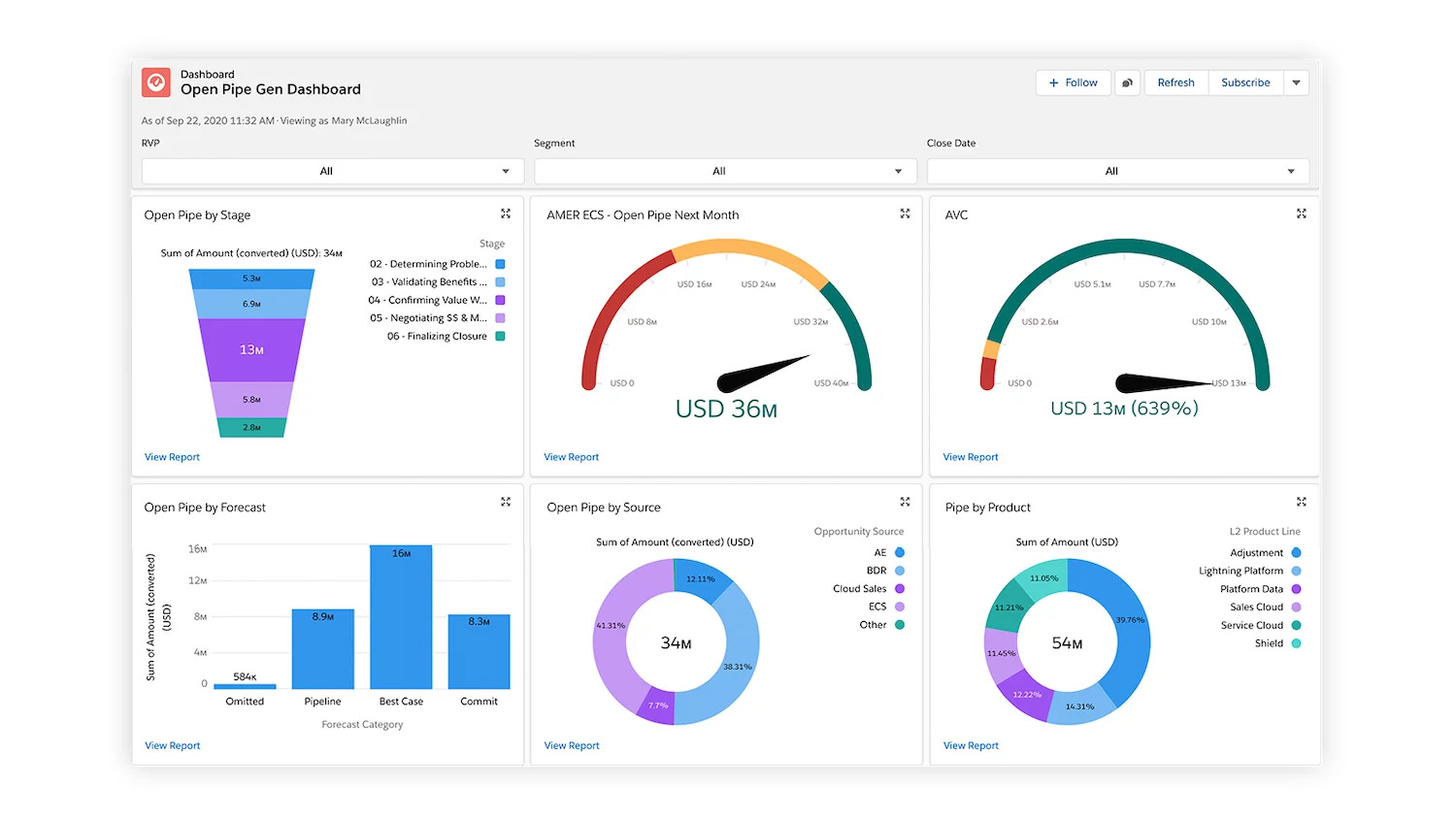
Salesforce’s customizable dashboards allow you to visualize sales and marketing performance in real-time, as they happen.
Salesforce’s app marketplace has over 7,000 apps and integrations, covering most major business tools. If you need Salesforce to connect to something, there’s a good chance a native connector already exists.
Agentforce lets you build and deploy AI agents that handle tasks like lead qualification, case routing, and customer follow-ups without human intervention. You define the rules, the agents handle the execution.
Pros and cons of Salesforce
Pros
Highly customizable and scalable
Strong AI features
Huge amount of integration options
Cons
Steep learning curve
Expensive with add-ons
Pricing
Salesforce’s pricing depends on the specific product(s) you choose, so prices can vary significantly.
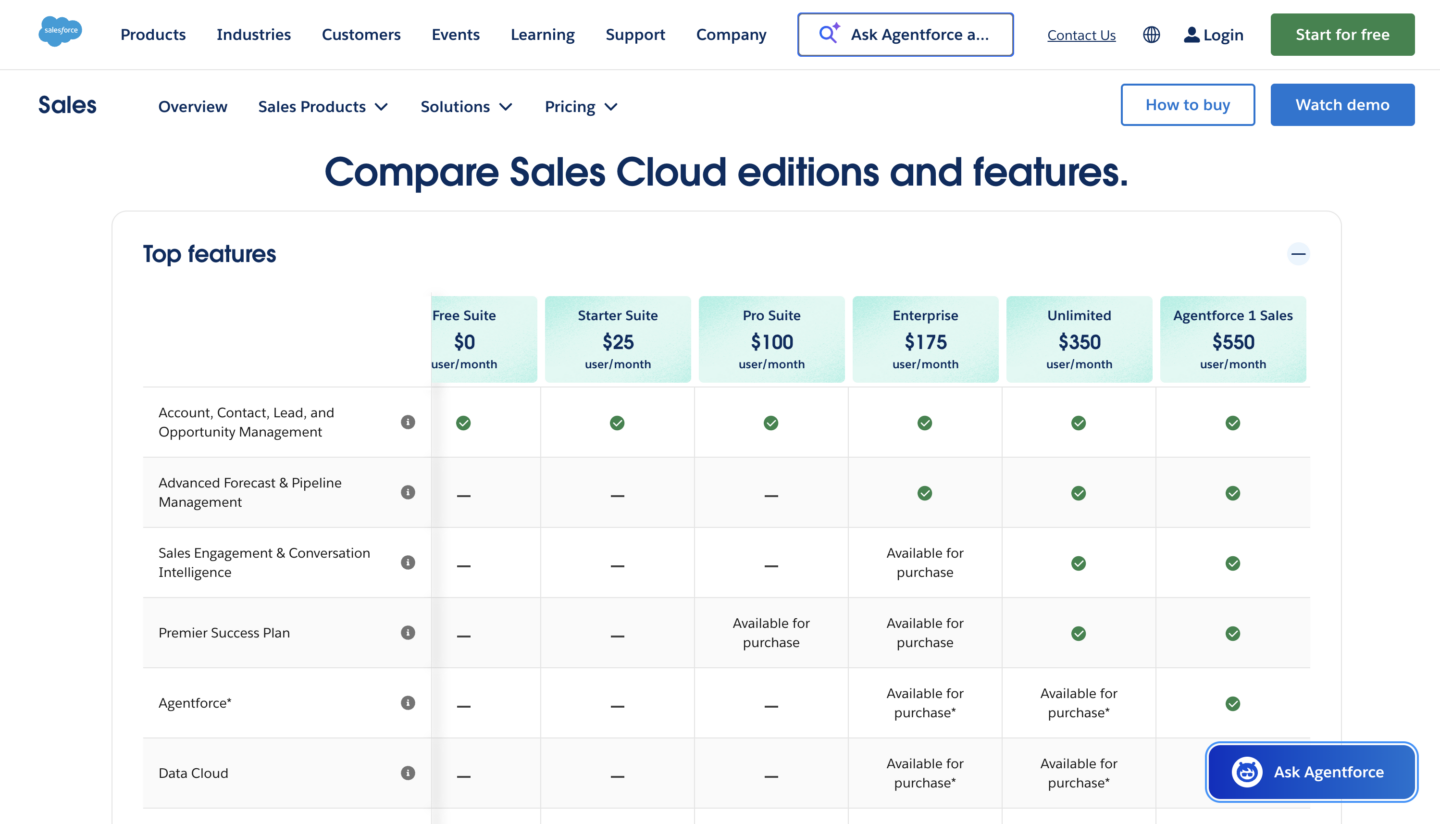
For reference, we’ll take a look at Sales Cloud pricing.
Starter Suite – $25 per user/month, includes just core features of Sales Cloud.
Pro Suite – $100 per user/month, includes core features and unlocks the Premier Success Plan with expert guidance and support for purchase.
Enterprise – $175 per user/month, includes advanced forecasts and pipeline management.
Unlimited – $350 per user/month, includes sales engagement tools, conversation intelligence, predictive AI, and the Premier Success Plan.
Agentforce 1 Sales – $550 per user/month, Salesforce’s complete sales CRM. Includes their full suite of Agentforce AI agents with unmetered usage for employees.
Hubspot’s core CRM features, like contact management and email tracking, are available in the free version.
And that’s why it’s one of the best CRMs if you’re on a tight budget.
Important features
Free CRM
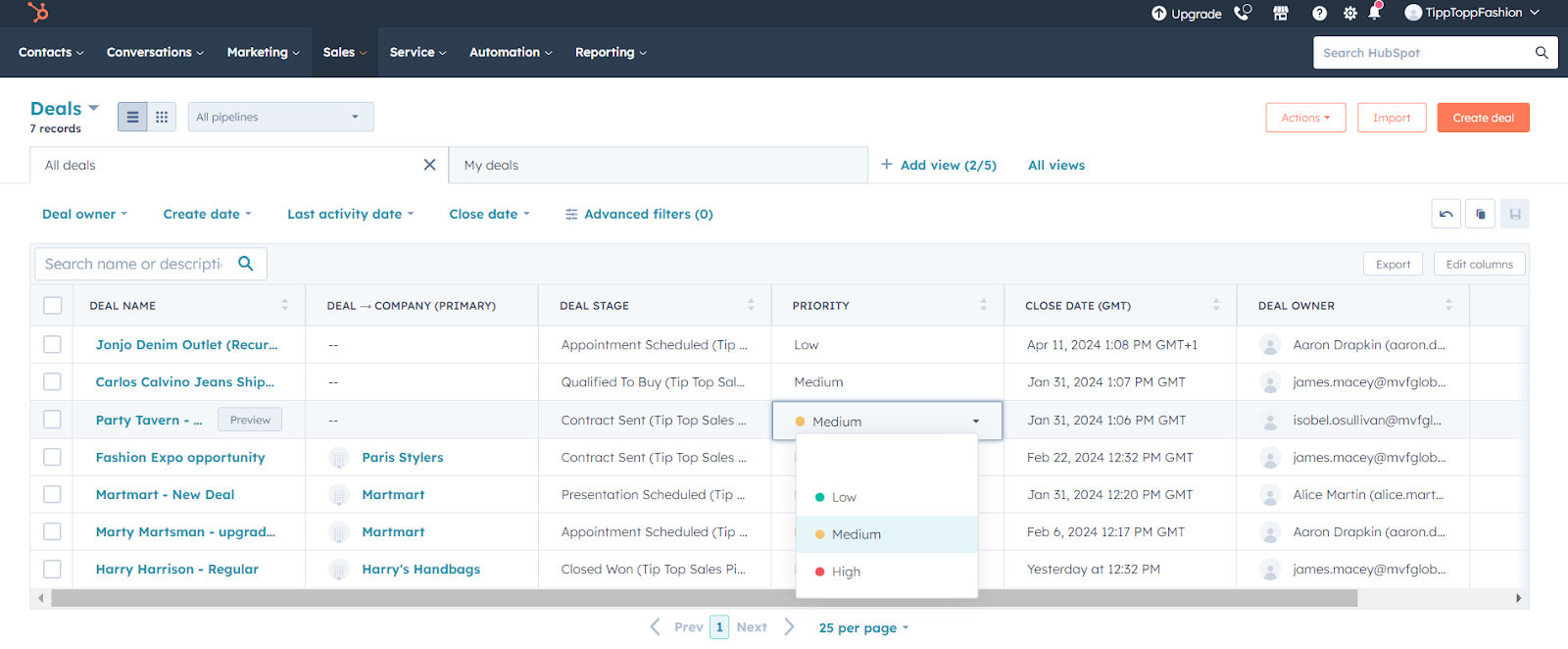
The core CRM is genuinely free with no time limit. It includes contact management, deal tracking, pipeline visibility, and email logging. For small teams, it’s a real working CRM, not just a trial.
Marketing and sales on one data model
HubSpot’s marketing, sales, and service tools share the same contact database. Every team sees the full customer history: which emails they’ve opened, which pages they’ve visited, and every conversation they’ve had with your team.
Email sequences and automation
Sales reps can enroll leads in automated multi-step follow-up sequences. Set up the sequence once and HubSpot handles the timing, with automatic pausing when a lead replies. This is available from the free tier upward.
Pros and cons of Hubspot
Pros
Generous free tier
Fast onboarding
Intuitive interface
Cons
Costly advanced features
Advanced reporting limited without upgrades
Pricing
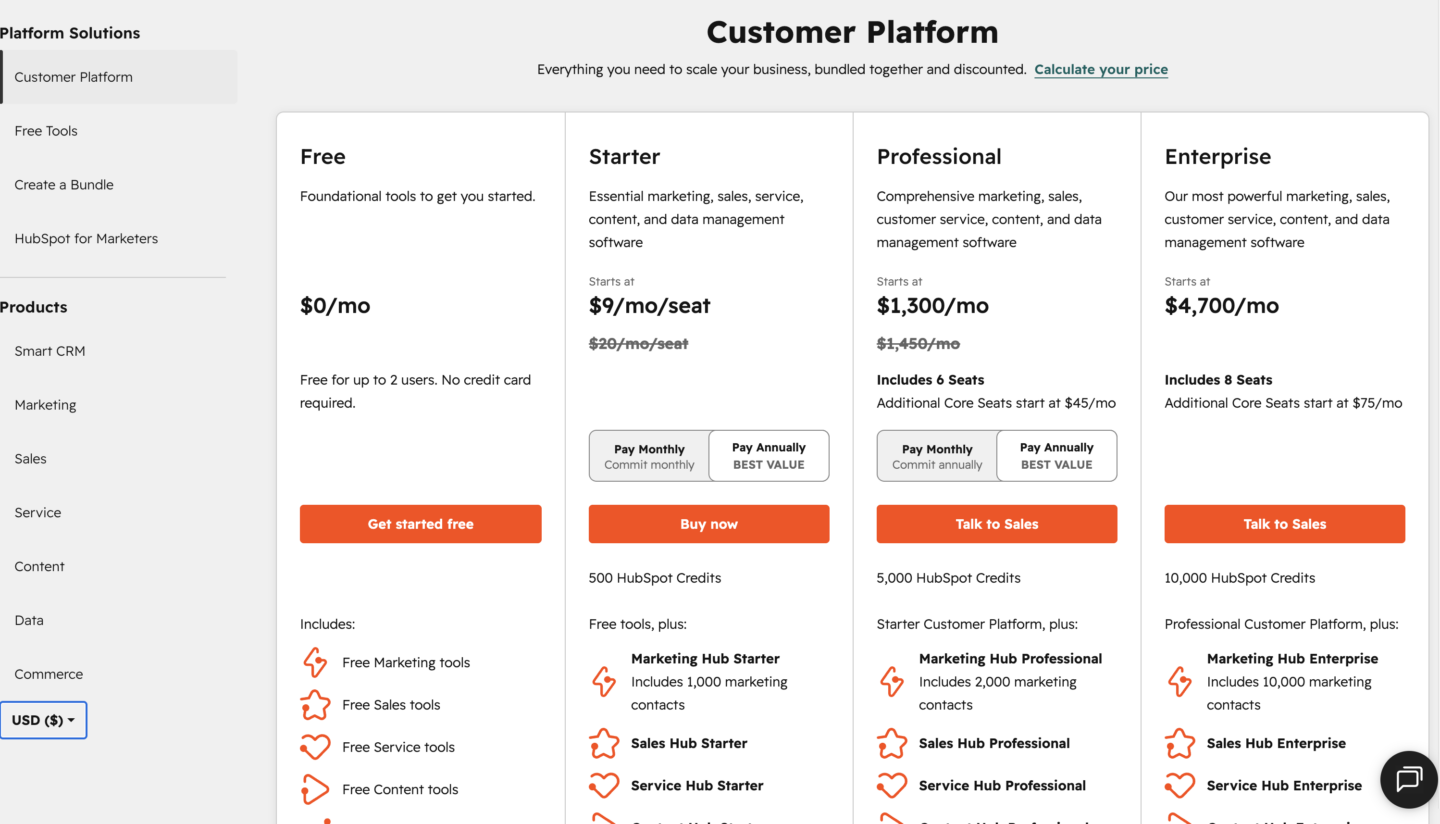
Hubspot has a free version that includes only its core CRM features, geared towards individuals and small teams.
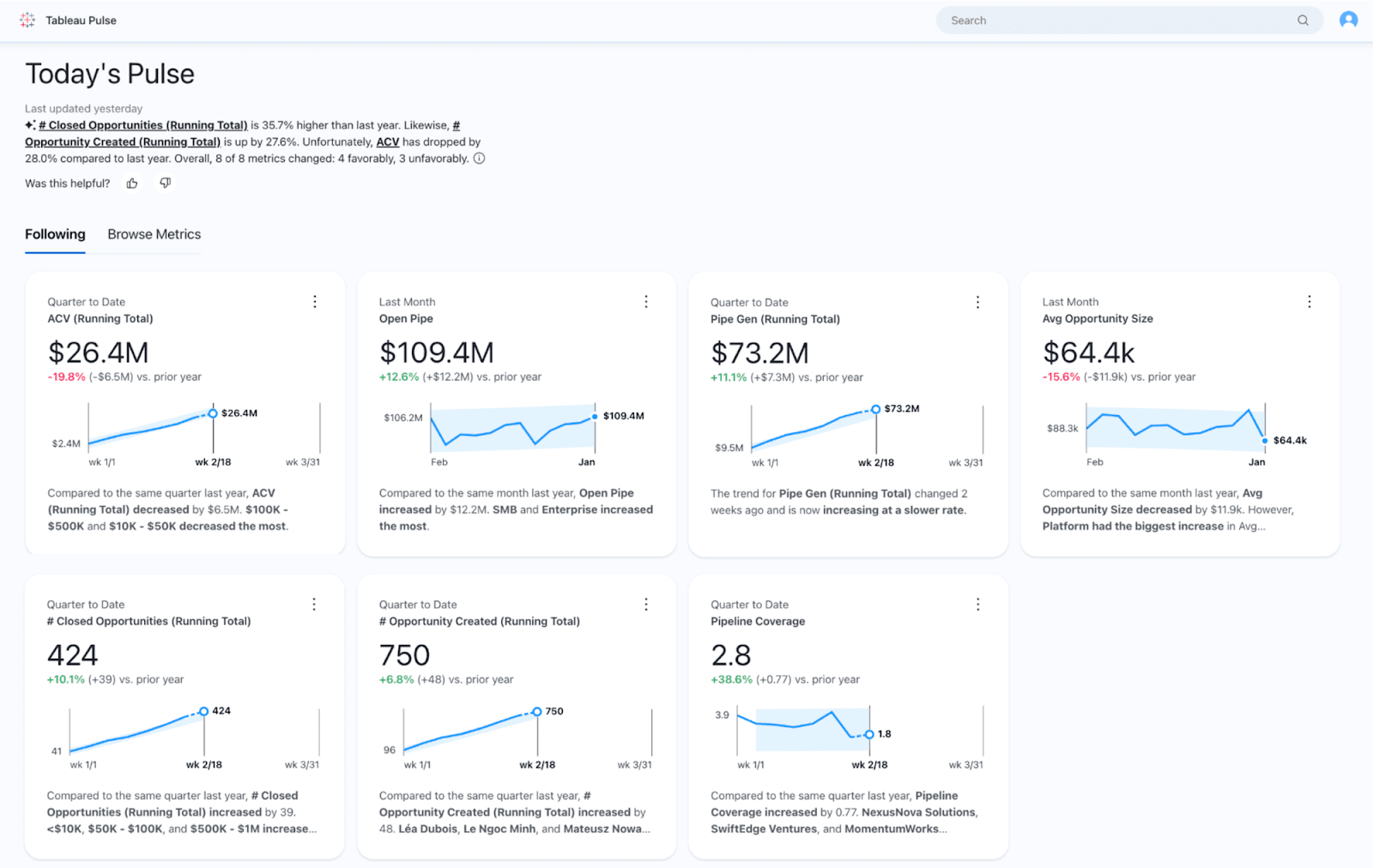
Tableau can be deployed both on-premise and on the cloud, depending on your needs.
Important features
Advanced data visualization
Tableau supports a wider range of chart types and custom visual calculations than most BI tools. Analysts can build complex views, including geographic maps, network diagrams, and statistical plots, without writing custom code.
Live data connections
Connect Tableau directly to your database, cloud warehouse, or API for dashboards that update as your data changes. You’re not limited to scheduled refreshes or static snapshots.
Tableau Prep
A separate but integrated tool for cleaning and reshaping data before it hits your dashboards. You can join, filter, and restructure data from multiple sources visually, which matters when your raw data isn’t analysis-ready.
Pros and cons of Tableau
Pros
Best-in-class visualization
Great for large datasets
Native data connectors
Cons
High pricing
Steep learning curve for advanced features
Pricing
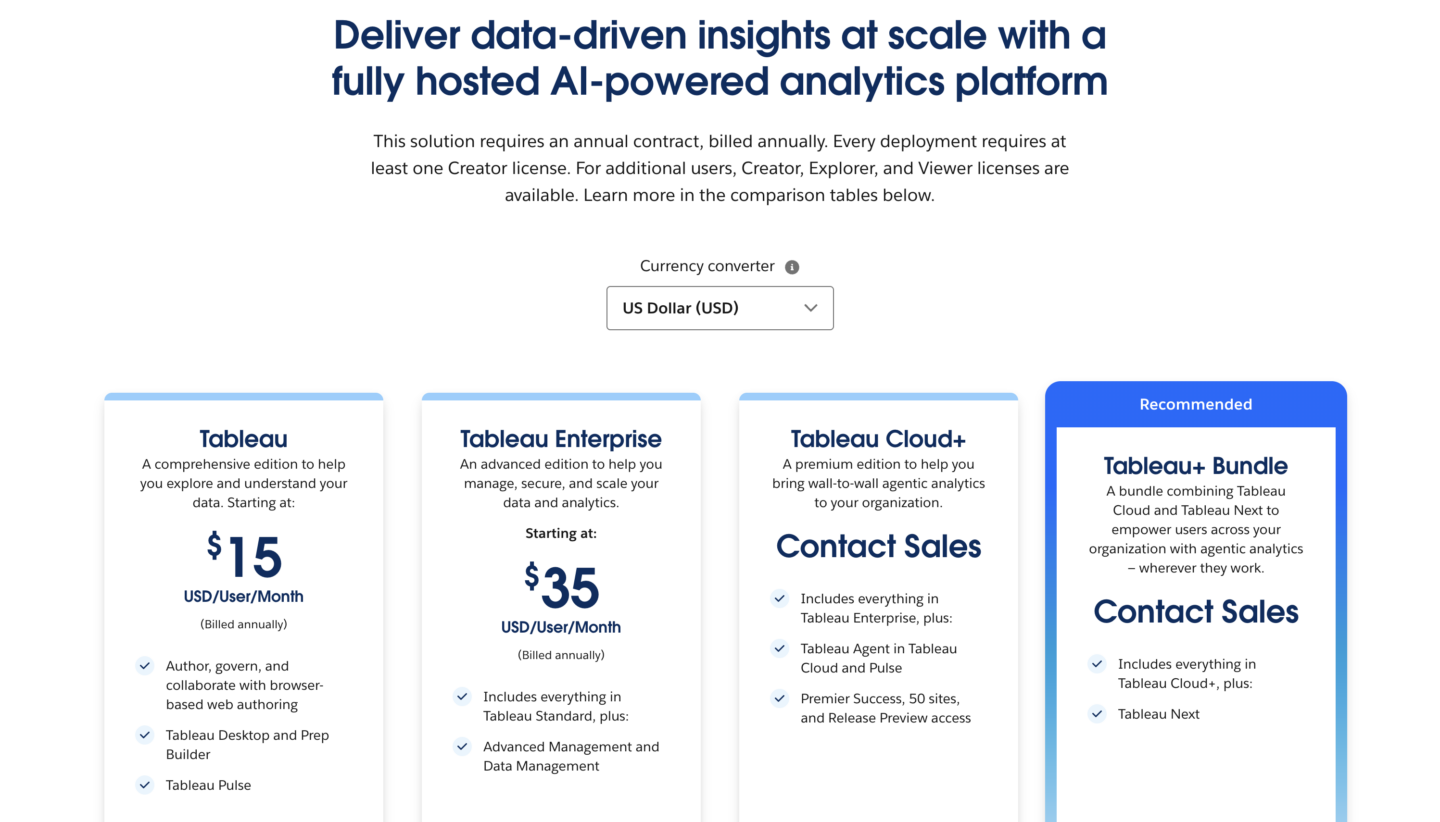
Tableau offers 3 different solutions: Tableau Cloud, Tableau Server (self-managed hosting), and Tableau Next (agentic analytics).
Tableau – starting at $15 per user/month (Viewer license), $42 per user/month (Explorer license), and $75 per user/month (Creator license), this plan includes all the core Tableau features.
TableauEnterprise – starting at $35 per user/month (Viewer license), $70 per user/month (Explorer licence), and $115 per user/month (Creator license), the Enterprise plan includes enterprise-grade data management and admin features.
Tableau Cloud+ – custom pricing, includes AI-powered data analytics with Tableau Agent and management with extra support.
Tableau+ Bundle – custom pricing, combines Tableau Cloud and Tableau Next into a comprehensive agentic analytics package.
All solutions and paid plans run on an annual contract, billed annually.
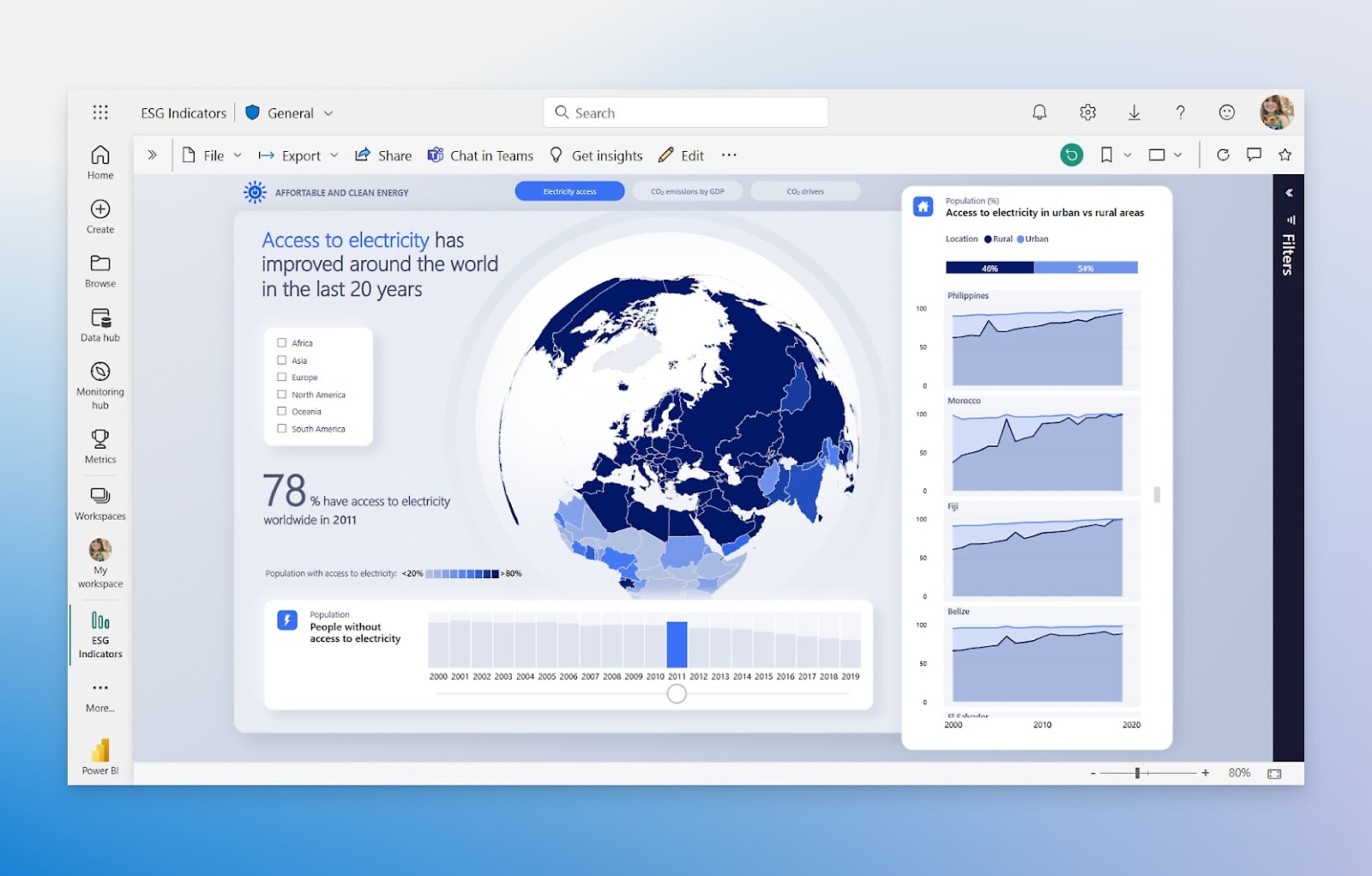
As it’s part of the Microsoft ecosystem, it can seamlessly integrate with other Microsoft products.
So, if a lot of your data is in Excel spreadsheets, Power BI is the obvious choice for your data visualization and management needs.
Important features
DirectQuery and live connections
Power BI can query your data source directly without importing it first. This is useful for large datasets in Azure SQL, Synapse, or Dataverse that would be slow or impractical to load into memory.
PowerQuery
The built-in data transformation engine lets you clean, merge, and reshape data from multiple sources before it reaches your reports. Non-technical users can do most of this through a visual interface.
Price-to-value advantage
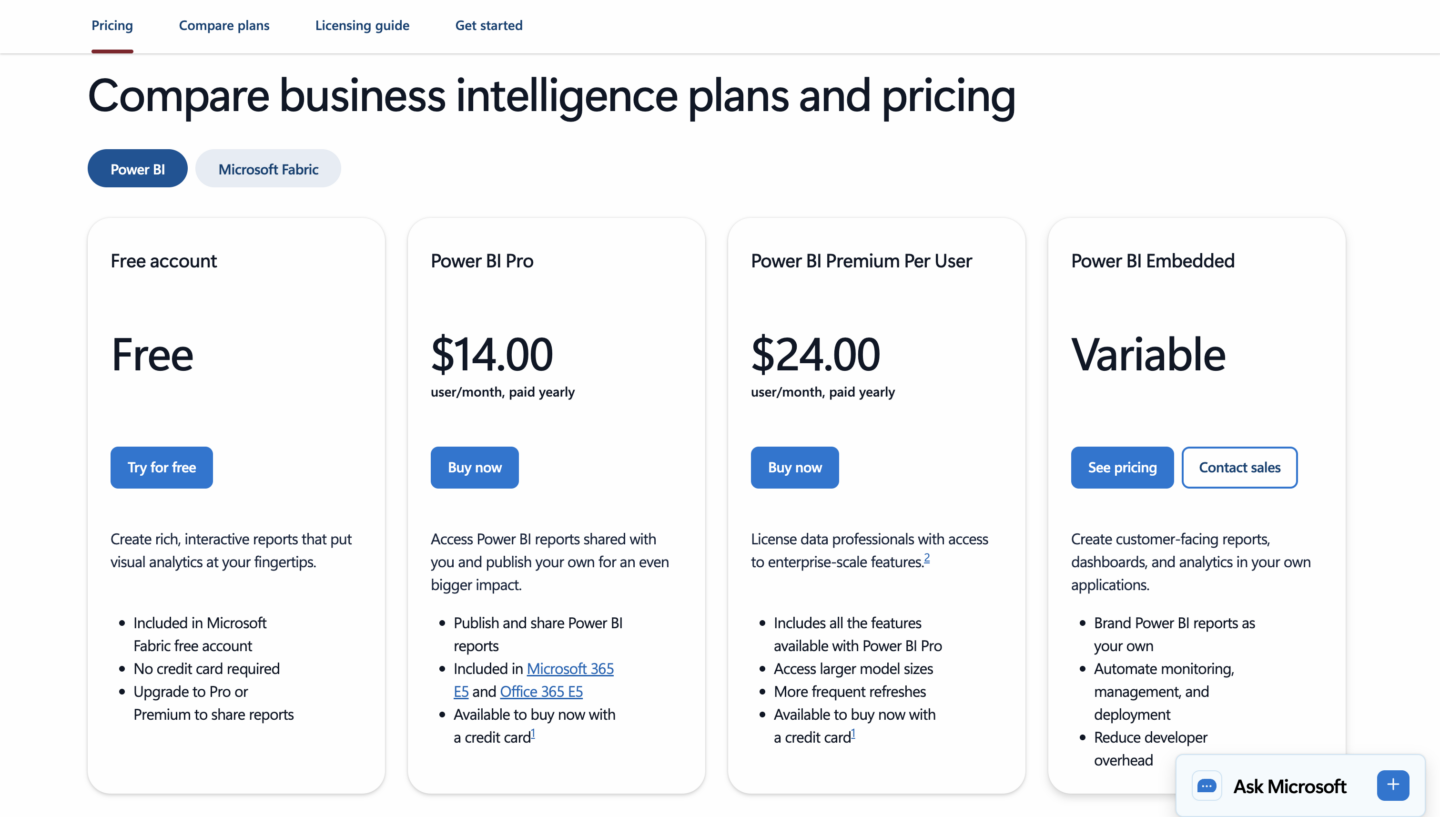
At $14/user/month for Pro, Power BI is significantly cheaper than Tableau. If your team is already on Microsoft 365 and your data lives in Excel, Azure, or SharePoint, it’s often the most practical BI choice.
Pros and cons of Microsoft Power BI
Pros
Integration with other Microsoft tools
Affordable pricing
Strong data connectivity
Cons
Steep learning curve for beginners
High memory usage with large datasets
Pricing
Microsoft Power BI offers a free version with limited features.
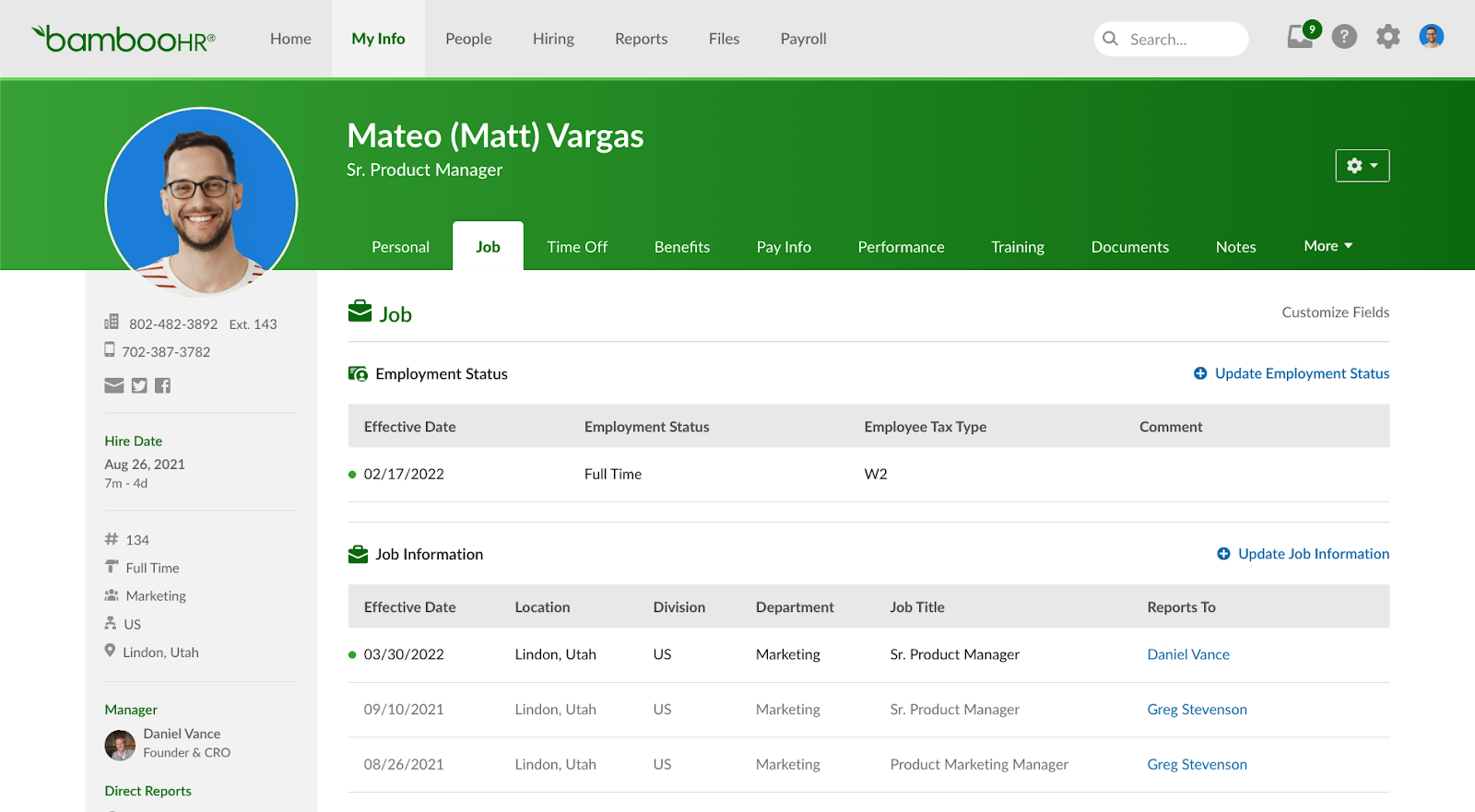
It includes everything you need to manage your HR processes, from a centralized employee database to performance management and time tracking.
Important features
Employee self-service
Employees can update their own information, request time off, and access HR documents without going through the HR team. This reduces the volume of routine admin requests your HR staff has to handle.
Onboarding workflows
Set up customizable checklists and automated task assignments for new hires. Document signing, welcome emails, and first-day task lists can all run automatically, without manual follow-up.
Built-in e-signatures
BambooHR includes e-signature functionality for offer letters, NDAs, and HR documents. You don’t need a separate DocuSign subscription for standard HR paperwork.
Pros and cons of BambooHR
Pros
Easy to use
Customizable reporting and HR analytics
Strong onboarding automation
Cons
Lower-tier plans lack customization options
Some integration gaps with third-party tools
Pricing
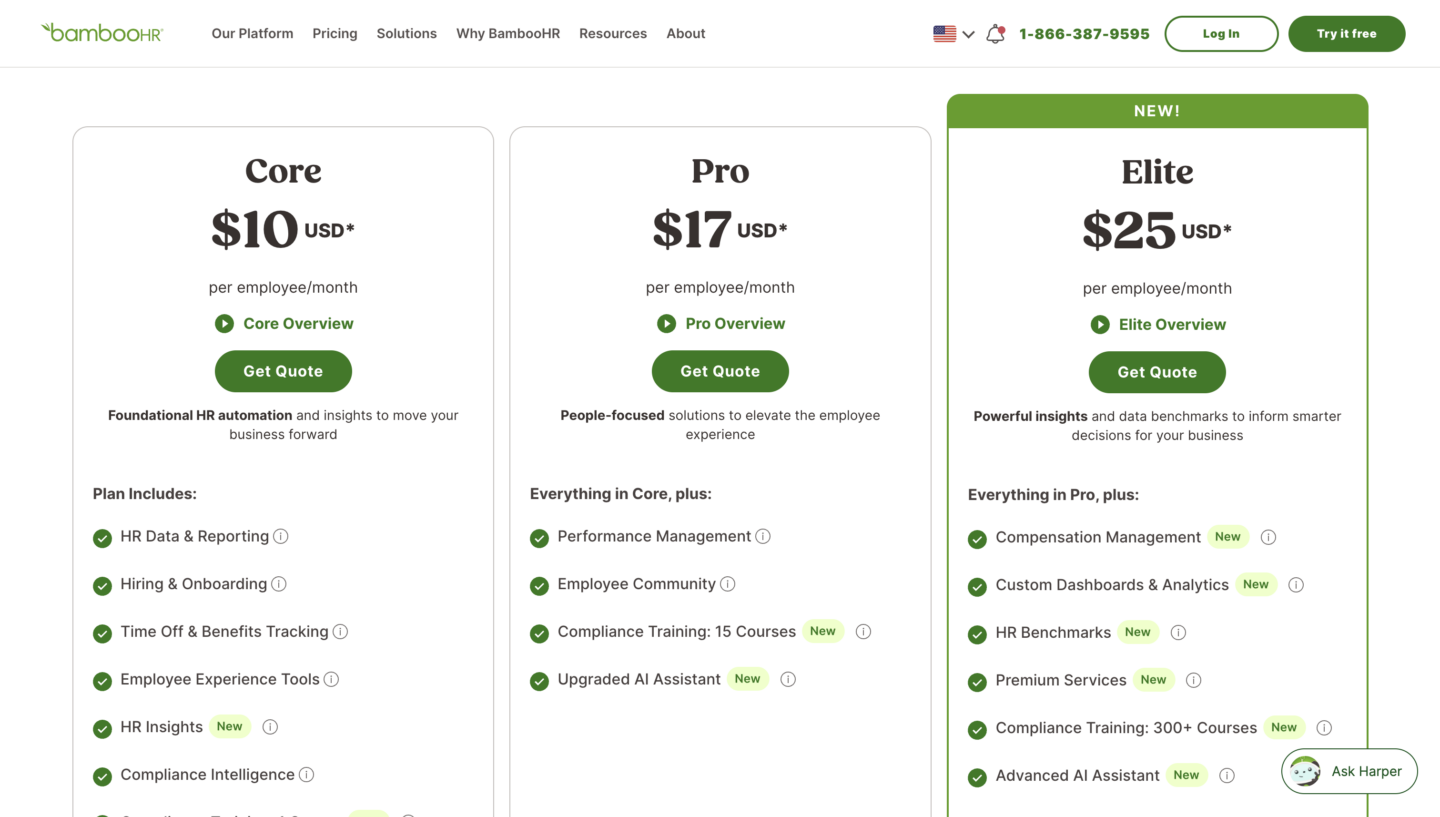
BambooHR offers 3 paid plans, Core and Pro, priced on a per-employee, per-month basis.
source: BambooHR
Here’s what the plans offer:
BambooHR Core – $10 per employee/month, with foundational HR automation covering hiring, onboarding, time off tracking, and HR reporting.
BambooHR Pro – $17 per employee/month, adds performance management, an employee community, compliance training (15 courses), and an upgraded AI assistant.
BambooHR Elite – $25 per employee/month, adds compensation management, custom dashboards, HR benchmarks, 300+ compliance courses, and an advanced AI assistant.
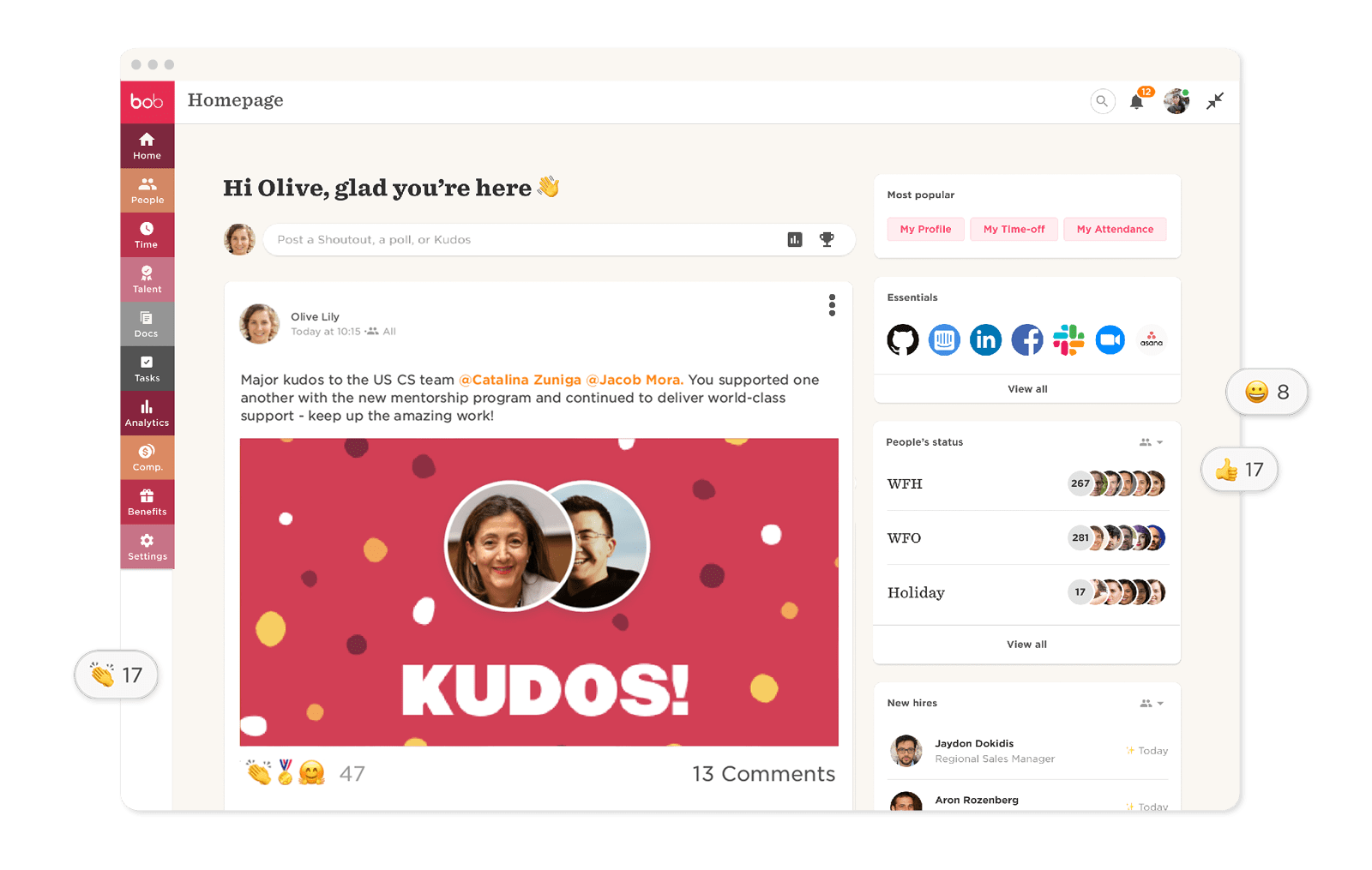
It has features for all your HR needs, from employee onboarding to HR data analytics, packaged in a user-friendly interface.
Important features
Employee engagement tools
Pulse surveys, peer recognition (Shoutouts), and team communities are built into the platform. These aren’t add-ons. They’re designed to actively support company culture.
Compensation management
Run salary reviews, manage pay bands, and model equity scenarios within HiBob. For a mid-market HR tool, this is a notable feature set. Most platforms at this price point leave compensation management to spreadsheets.
Global support
HiBob handles local compliance workflows for 150+ countries and lets you configure different rules per location. This makes it a practical choice for companies with teams spread across multiple regions.
Pros and cons of HiBob
Pros
Customizable dashboards
Employee engagement tools
Comprehensive reporting and analytics
Cons
No built-in payroll
Pricey for smaller organizations
Pricing
HiBob’s pricing is fully flexible and depends on the number of employees in your organization as well as the features you want to implement.
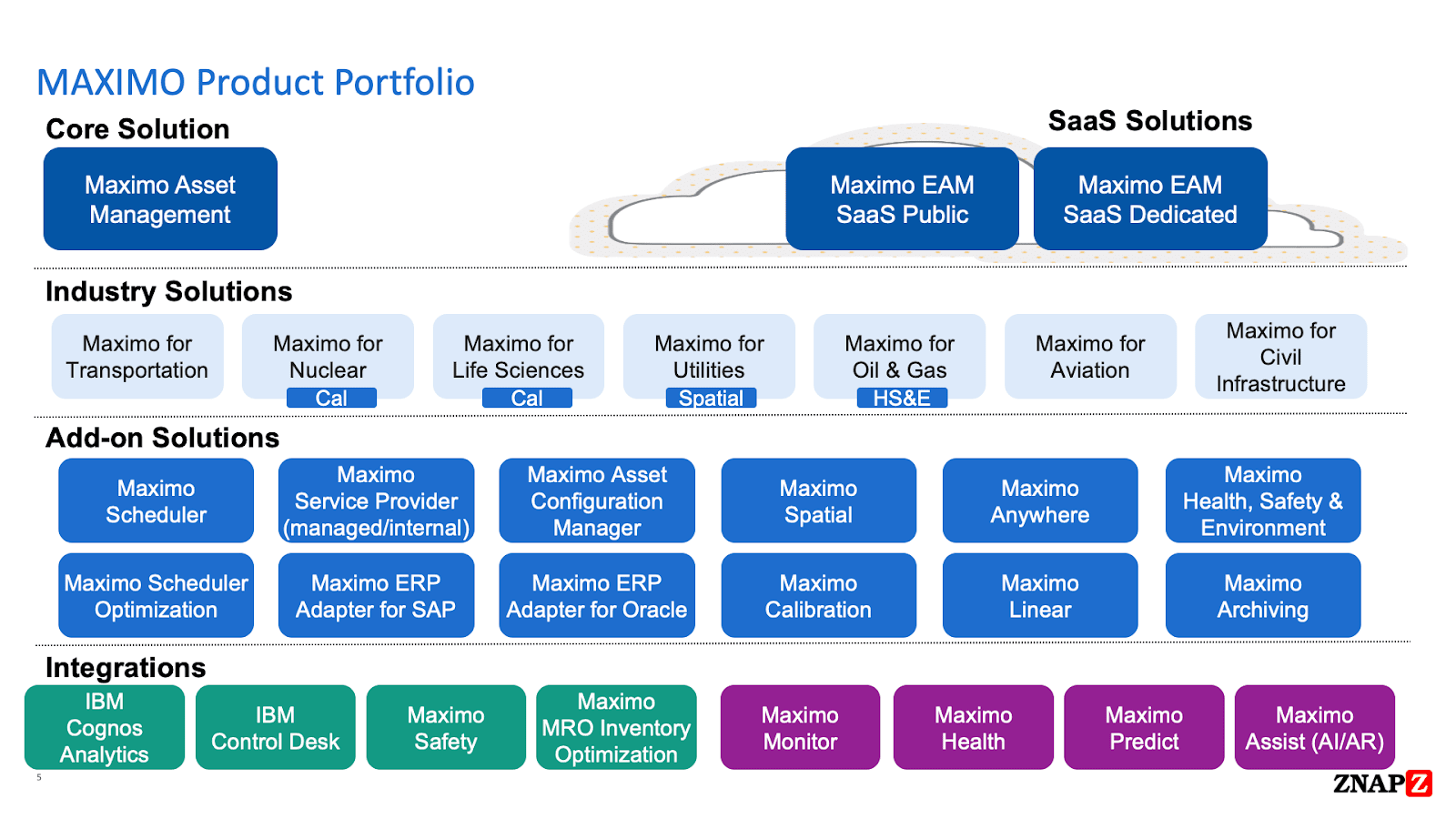
IBM Maximo is a comprehensive enterprise asset management solution primarily designed for industries like manufacturing, transportation, and utilities.
The core product comes with a number of different add-ons and integrations:
You can deploy MAS on-premise, as a SaaS, or in the cloud.
Important features
Asset lifecycle management
Track every physical asset from acquisition through retirement, including depreciation, associated spare parts, and total cost of ownership. This gives you the data to make informed decisions about repair vs. replace.
IoT-connected monitoring
Maximo can ingest real-time data from sensors and IoT devices to monitor asset health continuously. When a reading crosses a threshold, the system can automatically trigger a work order without human input.
AI-powered predictive maintenance
Using IBM’s AI tools, Maximo moves beyond scheduled maintenance to actual failure prediction. It learns from historical sensor data and flags assets likely to fail before they do, reducing unplanned downtime.
Pros and cons of IBM Maximo
Pros
Strong IoT integration
Highly customizable with industry-specific extensions
Cons
Very high implementation and costs
Steep learning curve
Pricing
MAS uses an AppPoints-based licensing model, a flexible credit system that lets you allocate resources across users and applications from a shared pool.
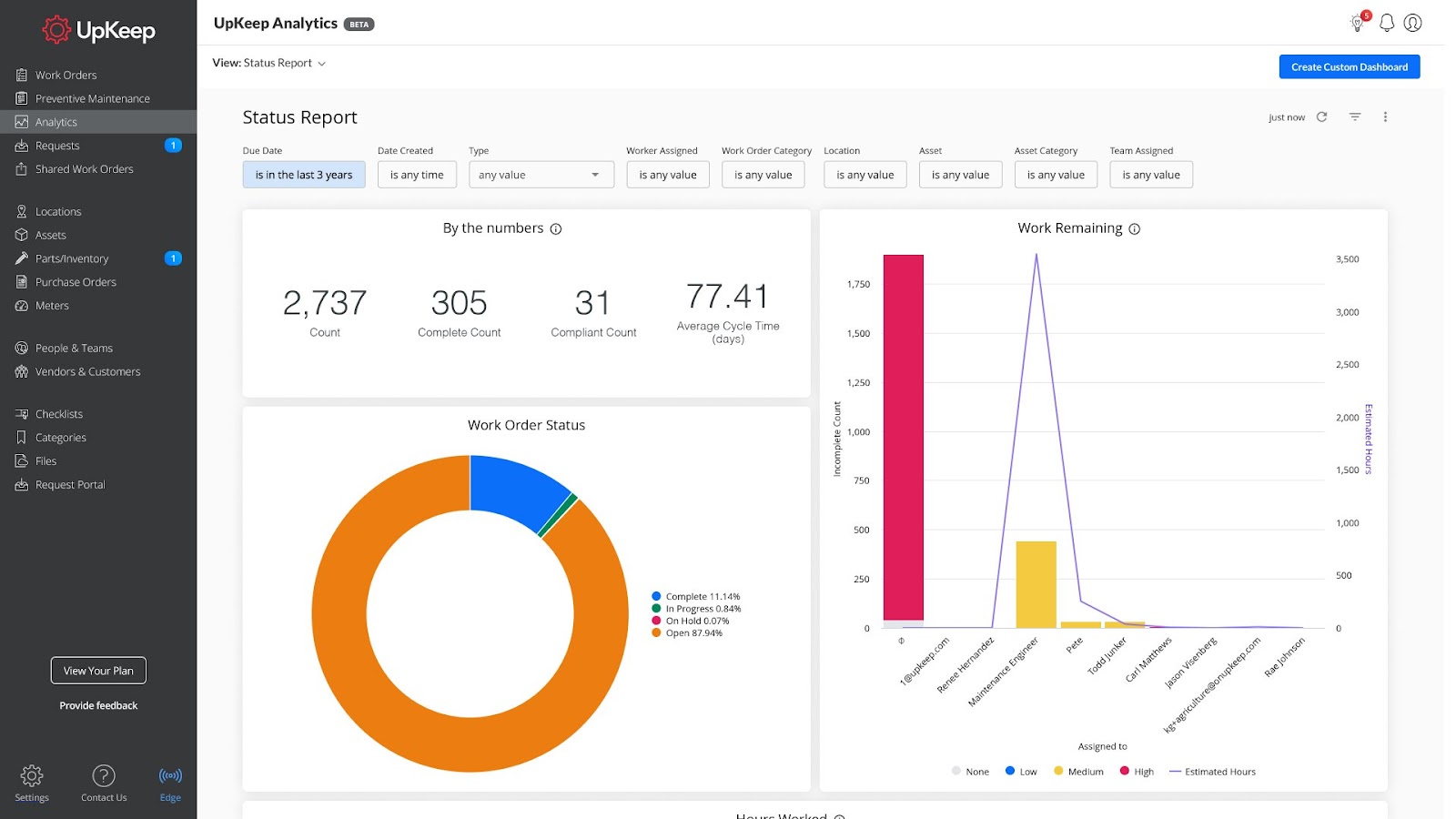
UpKeep is a cloud-based computerized maintenance management system (CMMS) built to simplify maintenance for industries like healthcare, facilities management, and manufacturing.
The platform also supports features like asset tracking, inventory management, and preventative maintenance scheduling.
But, what makes UpKeep stand out from the crowd is the fact that it’s mobile-first, so work orders and tasks can be easily completed on the go.
Important features
Mobile-first work orders
Technicians receive, update, and close work orders from their phones. They can attach photos, complete checklists, and request parts without needing a laptop or desktop.
Fast deployment
Unlike other EAM platforms that take months to implement, UpKeep can be up and running in days. For maintenance teams that need a working system quickly, this is a genuine differentiator.
Preventive maintenance scheduling
Set up recurring maintenance tasks triggered by time intervals or meter readings. UpKeep sends reminders to the right technician and tracks completion, so nothing gets missed.
Pros and cons of Upkeep
Pros
Intuitive mobile interface
Strong customer support
Affordable pricing
Cons
Per-user pricing gets expensive at scale
Can be overwhelming to new users
Pricing
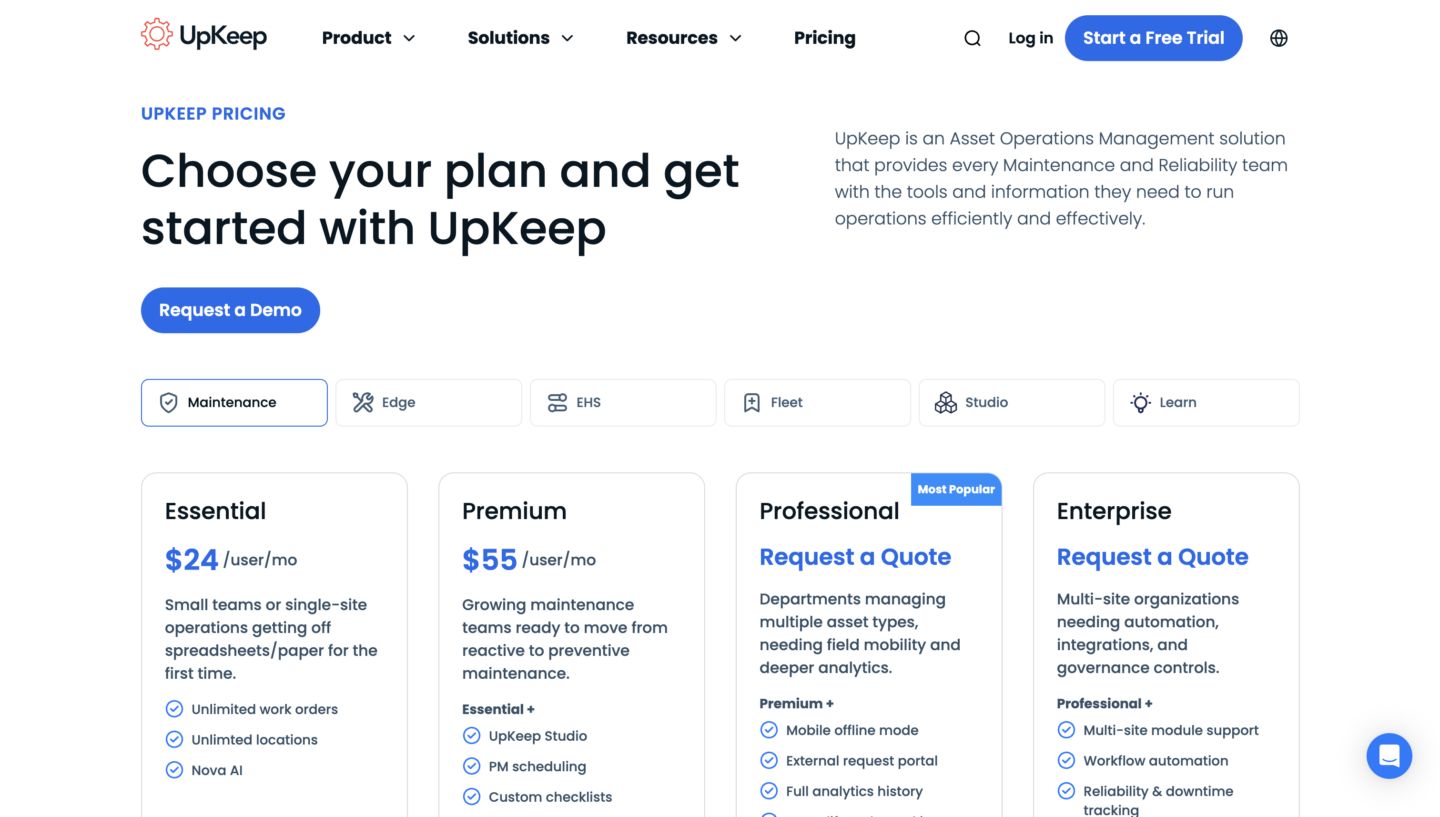
UpKeep has straightforward pricing, with a total of 4 paid plans for their core maintenance solution.
Essential – $24 per user/month, aimed at small teams or single-site operations, includes unlimited work orders, unlimited locations, and Nova AI.
Premium – $55 per user/month, built for teams moving from reactive to preventive maintenance, adds UpKeep Studio, PM scheduling, and custom checklists.
Professional – custom pricing, designed for departments managing multiple asset types, adds mobile offline mode, an external request portal, and full analytics history.
Enterprise – custom pricing, for multi-site organizations needing automation and governance, adds multi-site module support, workflow automation, and reliability and downtime tracking.
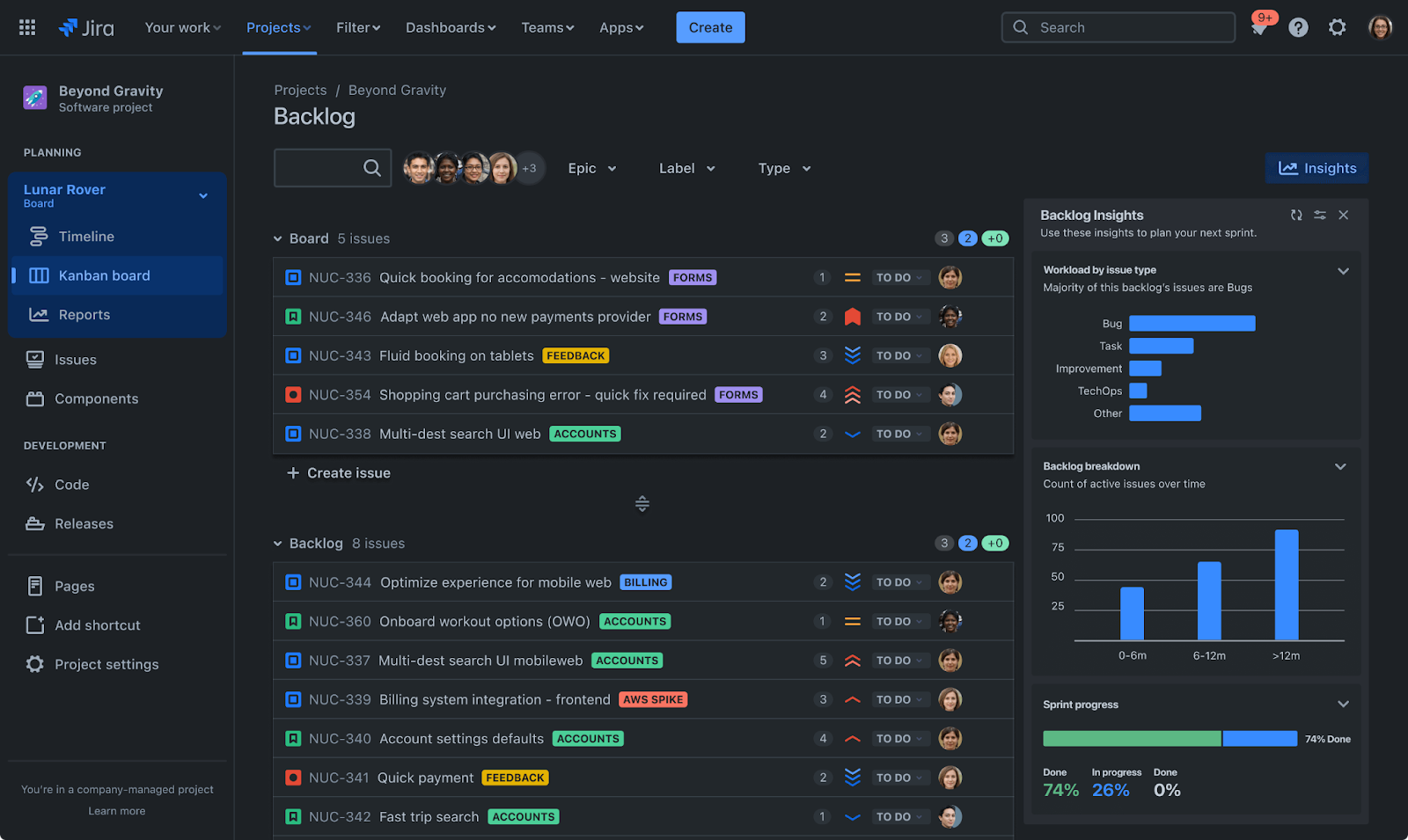
With Jira, you can efficiently plan, track, and manage projects.
It’s the best option if you’re using Agile methodologies, as it also lets you track issues and bugs during development.
Important features
Issue tracking
Create, assign, and prioritize issues with custom fields, statuses, and workflows. Developers can link commits and pull requests directly to Jira tickets, connecting code changes to the work item that required them.
Agile boards
Native Scrum and Kanban boards with sprint planning, backlog management, and velocity tracking built in. Agile workflows aren’t bolted on as an afterthought. They’re central to how Jira is designed.
Automation
Rule-based automation handles repetitive actions: auto-assigning tickets based on label or component, transitioning issue statuses when a PR is merged, or sending a Slack notification when a sprint ends. No code required to set most of this up.
Pros and cons of Jira
Pros
Flexible workflows and dashboards
Deep integration with Atlassian and third-party tools
Strong Agile tooling
Cons
Steep learning curve for non-technical users
Pricier than alternatives for smaller teams
Pricing
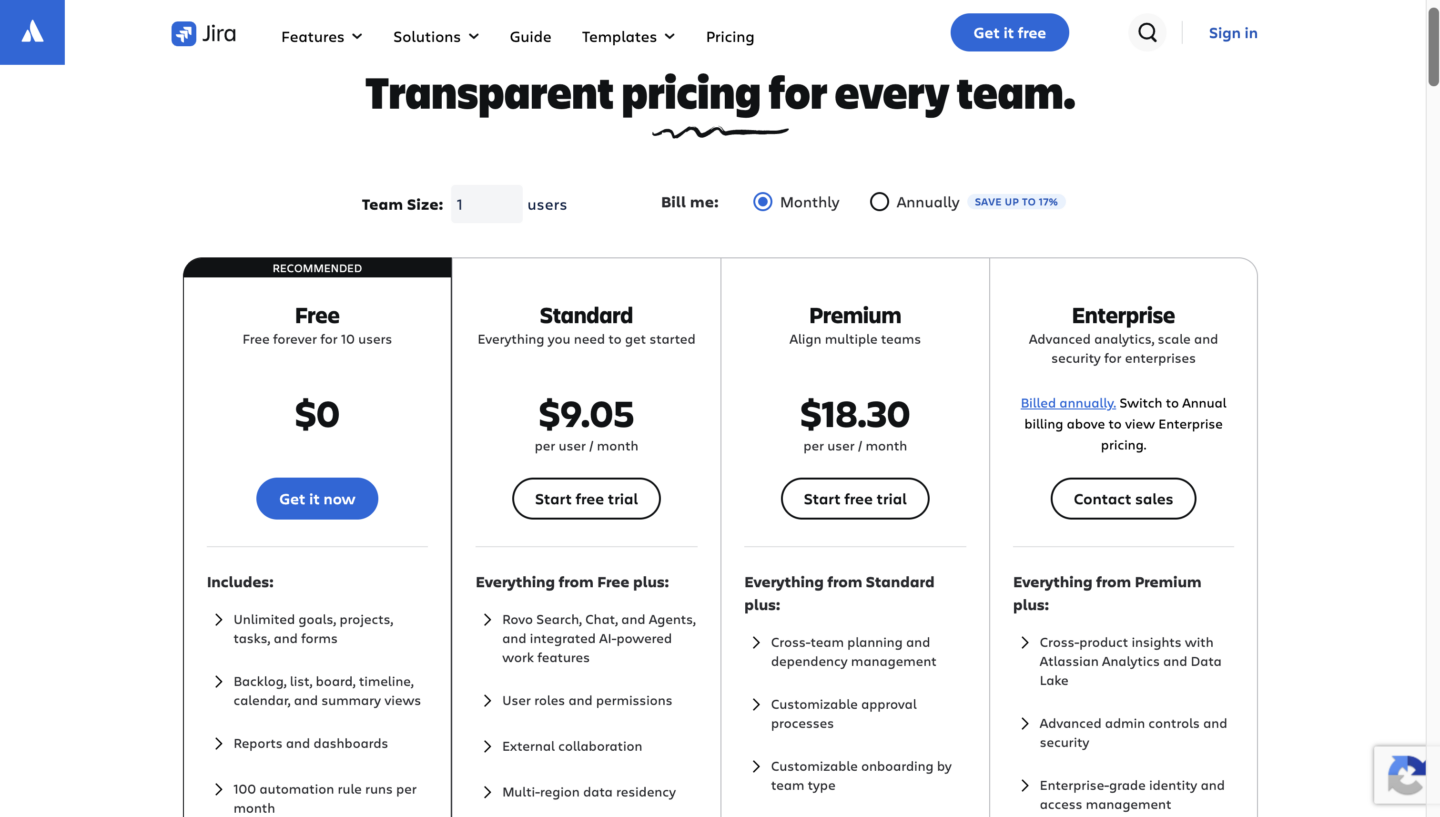
Jira offers a free plan for up to 10 users, with a maximum of 2 GB of storage – ideal for small projects and teams.
Jira’s pricing scales with team size, so the per-user cost decreases as you cross 100 users.
The prices shown below are based on a single user, billed monthly:
Free – $0, free forever for up to 10 users, includes unlimited goals, projects, tasks, and forms, plus backlog, board, timeline, and calendar views, and reports and dashboards.
Standard – from $9.05 per user/month, adds Rovo Search, Chat, and Agents with AI-powered work features, user roles and permissions, and external collaboration.
Premium – from $18.30 per user/month, adds cross-team planning and dependency management, and customizable approval processes.
Enterprise – custom pricing (annual billing only), adds cross-product insights with Atlassian Analytics and Data Lake, and advanced admin controls and security.
On top of that, you can integrate Trello with a wide range of third-party apps to improve its functionality and customize your workflow based on your team’s needs.
Important features
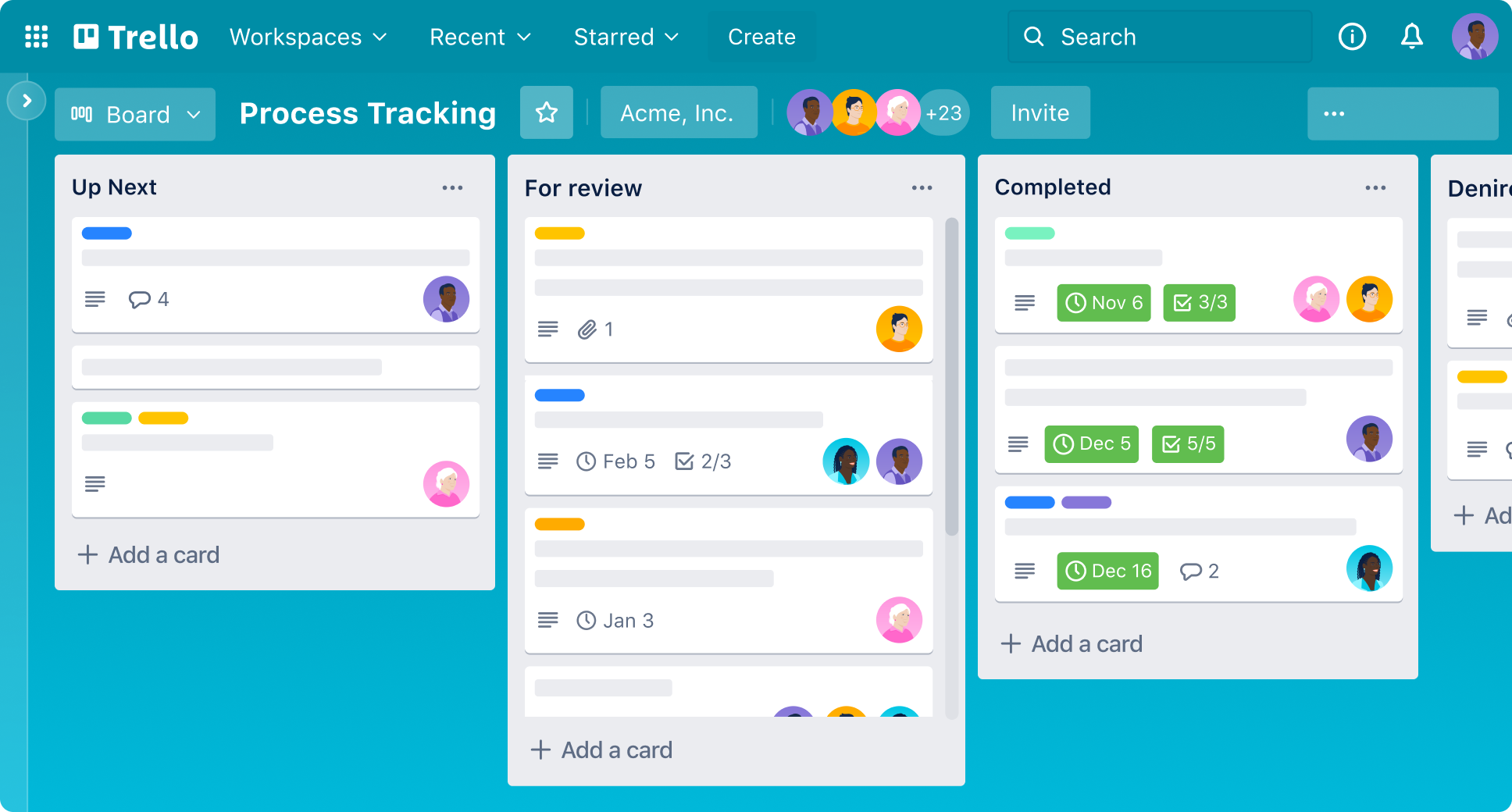
Kanban boards
Cards and lists represent tasks and their current stage. You drag a card to move it forward. New team members can understand the board in minutes, with no training needed.
Low learning curve
Trello is one of the fastest project management tools to set up. For use cases like content calendars, marketing campaigns, or process tracking, this simplicity is a real advantage over more complex platforms.
Power-ups (third-party integrations)
Trello offers plenty of third-party integrations with tools like Jira, Slack, and Google Drive which improve its functionality.
Butler
Create rules, buttons, and scheduled commands that automate repetitive actions: moving cards, updating due dates, sending notifications, or triggering actions in connected apps. The automation builder is visual and doesn’t require any coding knowledge.
Pros and cons of Trello
Pros
Very easy to use
Minimal setup
Highly customizable
Flexible automation
Cons
No built-in time tracking
Breaks down for complex projects
Weak reporting
Pricing
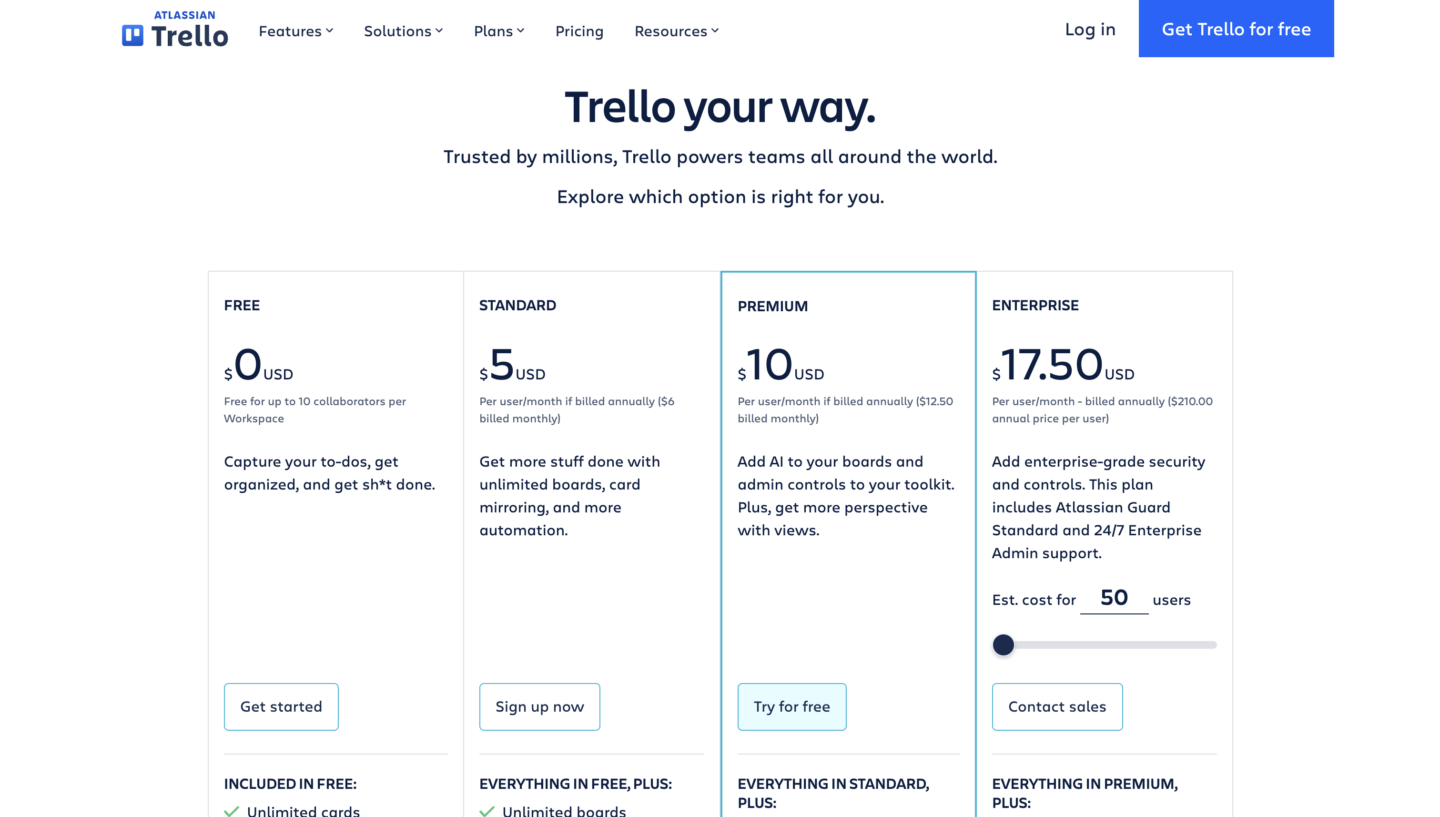
Trello offers a free plan, geared towards individuals and smaller teams.
Standard – $5 per user/month, unlimited boards and storage.
Premium – $10 per user/month, extra views, admin and security features.
Enterprise – $17.50 per user/month, unlimited workspaces and more advanced security controls.
Criteria for choosing enterprise software
Choosing the right enterprise software is a significant decision. Get it wrong and you’re looking at problems that take years to resolve.
Here are the key evaluation criteria you should look at before committing:
Integration with existing systems – Enterprise software doesn’t work in isolation. Map out the systems it needs to connect to: your data warehouse, your finance platform, your identity provider. Verify those integrations exist and are well-supported. Bolt-on integrations built by third parties carry more risk than native connectors.
Total cost of ownership – License costs are just the starting point. Factor in implementation (often 1 to 5x annual licensing costs for complex platforms like SAP), training, data migration, customization, and ongoing maintenance.
Scalability – Will the software handle your user base and data volume in three years, not just today? Check whether pricing scales reasonably as you grow, and whether the platform has enterprise-grade customers at your target scale.
Security and compliance requirements – If you operate in a regulated industry, your software needs to meet specific standards. Look for certifications like ISO 27001 and SOC 2, and verify the vendor’s data residency options if you’re subject to GDPR.
Vendor support and implementation – Look beyond the product itself. What does the implementation process look like? Who delivers it: the vendor, a partner network, or both? Check independent reviews on G2 and Gartner Peer Insights for real feedback on support quality and implementation experience.
Time to implement Some platforms can be up and running in weeks. Others take months or years. Be realistic about running a complex implementation alongside your day-to-day operations.
No single item on this list will give you the full picture.
But work through all of them carefully, and you’ll know whether you’re looking at the right fit or just a convincing sales pitch.
And there’s another criteria you should look at: AI integration. AI has moved from a feature to a baseline expectation in enterprise software.
In 2026, AI agents and copilots are built into virtually every major enterprise platform. Think Salesforce’s Agentforce or Microsoft’s Copilot, embedded across Dynamics 365, Power BI, and Teams.
When you’re evaluating enterprise software today, AI capabilities should be a standard dimension in your assessment, not an optional add-on.
Think about what the AI can actually do in your workflows, not just whether it exists.
Enterprise software examples: FAQs
It varies enormously.
SaaS tools like Trello start at $5/user/month, while platforms like Salesforce Enterprise run $175/user/month.
And that’s before implementation costs.
For large ERP implementations, total cost of ownership can reach hundreds of thousands or even millions of dollars. Always model the full cost, not just the license fee.
SaaS (Software as a Service) refers to the delivery model: software hosted in the cloud and accessed via subscription.
Enterprise software refers to the intended audience and scope, meaning software designed for organizational use rather than individuals.
These aren’t mutually exclusive: most enterprise software is now delivered as SaaS.
The distinction worth making is between off-the-shelf SaaS products and custom-built enterprise software, which is developed specifically for a single organization’s requirements.
Your development timeline will depend on your project’s scope, complexity, and team size.
So, the answer is – it depends. But, depending on complexity, here’s what you can expect:
Small-scale enterprise software – 3-6 months
Medium-scale enterprise software – 6-12 months
Large-scale enterprise software – 12+ months
Some common hidden costs you should know about are:
Third-party API fees
Cloud overages
Training costs
Ongoing support and maintenance
Need custom enterprise-grade software?
Off-the-shelf enterprise software covers a lot of ground.
But there are situations where it doesn’t fit: proprietary workflows that can’t be mapped to a generic product, deep integration needs across legacy systems, or a core process that’s genuinely your competitive advantage and shouldn’t be handed to a third-party platform.
When you reach that point, custom development is the right call.
At DECODE, we build custom enterprise-grade software for clients across industries like telecommunications, logistics, healthcare, and financial services.
Our teams work as a genuine extension of yours: direct communication with engineers, no messy handoffs, and a single dedicated team on your project from start to finish.
We’re ISO 27001 certified, which matters when you’re handling business-critical data and need a partner who takes security as seriously as you do.
If you want to learn more, feel free to reach out and our team will set up a quick call to discuss your needs in more detail.
Mario makes every project run smoothly. A firm believer that people are DECODE’s most vital resource, he naturally grew into his former role as People Operations Manager. Now, his encyclopaedic knowledge of every DECODEr’s role, and his expertise in all things tech, enables him to guide DECODE's technical vision as CTO to make sure we're always ahead of the curve.
Part engineer, and seemingly part therapist, Mario is always calm under pressure, which helps to maintain the office’s stress-free vibe. In fact, sitting and thinking is his main hobby. What’s more Zen than that?
Here, we'll discuss how cutting-edge railroad management software can help you cut millions of dollars in costs and the software solutions you need to make it happen.